

November 20, 2025

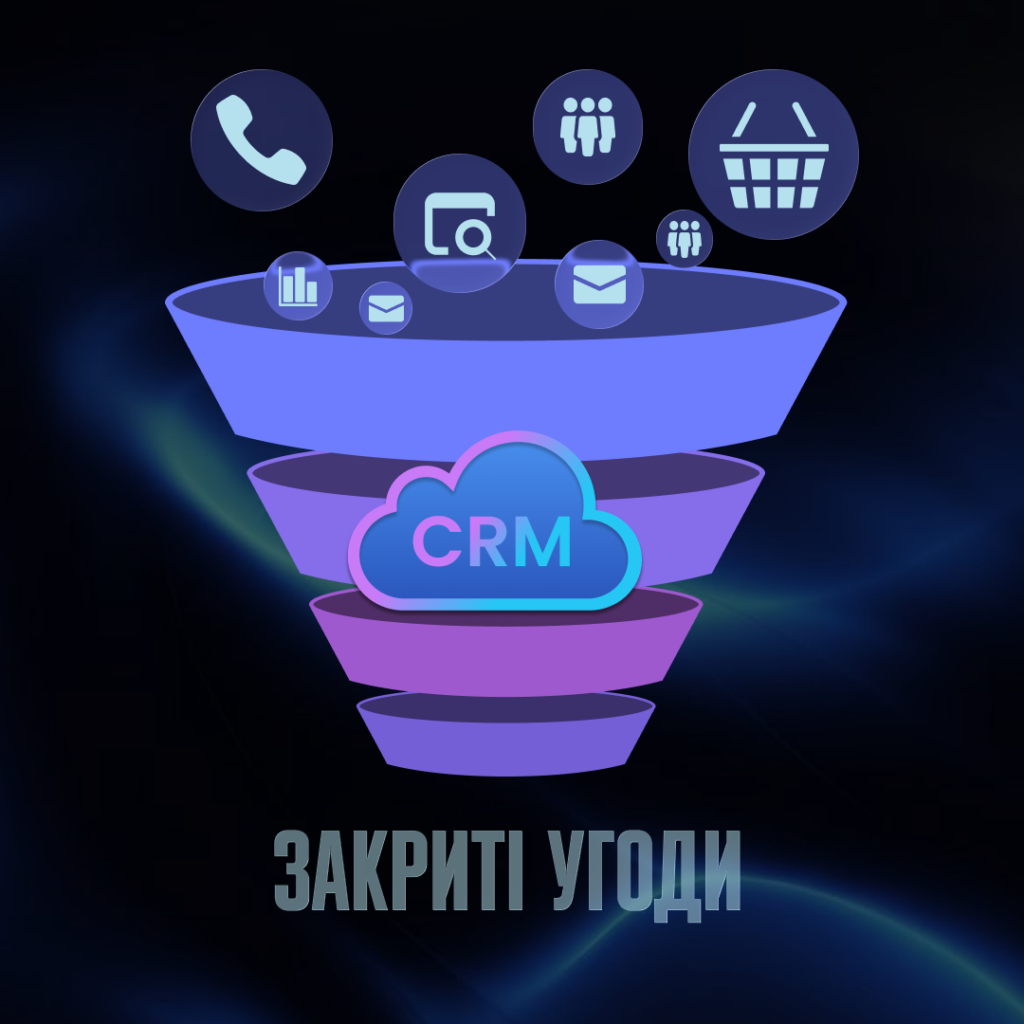
In 1924, William Townsend, a manager at J.G. White & Company and a lecturer at Columbia University, described a metaphor in a textbook for Wall Street salespeople that effectively became the foundation of the sales funnel: a broad stream of leads narrows down to a specific purchase decision.
Although Townsend was writing about bond sales at the time, the logic remains relevant today: a wide entry point from leads, a gradual narrowing through qualification and objection handling, and a narrow exit in the form of closed deals.
Today, the sales funnel is no longer just a mental model, because a modern CRM system transforms it into a transparent, reproducible, and measurable process.
Next, we’ll break down a seven-day plan: what to do, in what order, and what to pay attention to so that the funnel in your CRM works as intended.
A sales funnel is an operational model of the customer journey from initial contact to a closed deal. Its purpose is to make this journey manageable: to show where active deals are, at which stage they are stalled, and what the likelihood is that a specific lead will become a customer.
For a manager, the funnel replaces a mental to-do list with a clear picture of priorities. It gives the manager a real-time view of the pipeline without needing to ask the team every day. But there’s another function that’s rarely mentioned: the funnel reveals systemic issues in the sales process. If 80% of deals get stuck at a single stage—that’s a specific point for analysis that simply isn’t visible without a funnel.
The classic B2B sales funnel looks something like this: new lead → qualification → needs assessment → proposal → negotiations → closed deal. But this is just a template, because the actual funnel always reflects a specific company’s specific process.
For example, in a company that sells complex software, there may be a technical demonstration and a pilot project between needs assessment and the commercial proposal. These are separate stages with their own logic and transition criteria. For a company that sells quickly and transactionally, the funnel can be much shorter: three or four steps from the first call to payment.
The key characteristic of a well-designed funnel is that each stage corresponds to a specific step in the customer’s decision-making process. “Considering” or “In progress” are not valid funnel stages because they do not describe what is actually happening or what needs to be done next. A useful stage always has a clear entry criterion, a clear exit criterion, and a designated person in charge.
Before opening the CRM and creating the first stage of the sales funnel, it’s worth taking a step back and honestly answering a simple question: How are sales actually happening in the company right now? Not as written in the manual, not as the department head describes at a meeting, but how it actually happens in reality, every day, between specific managers and specific clients. More often than not, it turns out that three managers have three different approaches, and none of them aligns with what is formally considered the sales process.
The easiest way to figure this out is to go through active deals with the managers and ask them to describe each one: where the lead came from, what has already happened, what the next step is, and why that step specifically. This takes a few hours, but it provides a much more accurate picture than any automated survey.
At the same time, it’s helpful to identify where information about customers and deals is currently stored. Excel spreadsheets, messages in chat apps, notes on your phone, email correspondence—all of these are fragments of the process that will need to be consolidated in one place. Choosing a CRM tailored to your specific process will be the next step, but first you need to understand exactly what needs to be transferred into it.
Once you have a clear picture of the process, you can define the stages of the sales funnel. There’s one common pitfall here: people tend to create either too few stages (New – In Progress – Closed) or too many, breaking down every call into a separate step.
The guideline is simple: a stage is needed when something fundamentally changes in the relationship with the client or in the status of the deal. First contact and qualified lead are different statuses because a conversation took place between them and it became clear that there is a need and a budget. “RFP sent” and “RFP approved” are also different statuses, because in between them the client decided to move forward. But “called for the first time” and “called for the second time” are not different stages; they are different actions within a single stage.
For most B2B companies, the optimal number of stages is five to seven. It’s enough to see where the deal stands, and not so many that managers spend half the day updating statuses.
This is the most important part of the process, because without clear transition criteria, the funnel turns into a subjective classification: one manager considers a deal “in finalization,” another would keep it in “negotiations,” and both could technically be right.
A transition criterion is a specific event or fact that indicates the deal has moved to the next stage. Not “the client is interested,” but “the client has confirmed the budget and timeline.” Not “we sent the proposal,” but “the client received the proposal and confirmed they are considering it.” The difference may seem minor, but it is precisely what determines how accurately a manager can predict deal closures based on what they see in the sales funnel.
These criteria should be documented in writing so that one month after launching the sales CRM, the entire team understands them consistently.
While the first two days focused on paperwork and discussions, the third day is all about taking concrete actions within the system. By this point, you already have a documented process, a list of stages, and criteria for moving between them. Now you need to implement this in the CRM.
Most modern systems allow you to create multiple separate funnels, and it’s important to use this feature correctly. If a company sells different products or works with different customer segments that have fundamentally different decision-making logic, a separate funnel should be created for each one. Trying to cram all deal types into a single universal process is a recipe for confusion, where managers constantly skip steps because they aren’t relevant to another customer.
Stage names should be self-explanatory. If a new manager opening the system for the first time doesn’t understand the difference between “In Progress” and “In Work”—the names need to be rewritten. A good test: can you immediately tell from the stage name what has already happened and what needs to happen next?
It’s easy to go overboard with fields in a deal card: the more required fields there are, the less managers want to fill them out, and the more data ends up being left blank or filled out haphazardly.
A practical approach: start by defining the minimum set of fields without which the deal cannot move forward. Typically, this includes the lead source, the assigned manager, the deal amount, the expected close date, and one or two fields specific to the business. The rest can be added later, once the team has gotten used to the system and understands what information is actually needed for their work.
It’s also worth considering tags and categories: they allow you to filter deals based on criteria that don’t fit into the linear funnel structure. For example, traffic source, client company size, or inquiry type.
The issue of access rights is often put off until later, and then it turns out that a manager can see their colleagues’ deals, a department head can’t filter their own department, and the CFO has access to notes that were clearly not intended for them.
The basic logic is simple: a manager sees their own deals and, possibly, their team’s deals. A department head sees everything within their department. An owner or CEO sees the big picture across the entire company. Access to reports and analytics should be configured separately: not every manager needs to see overall conversion metrics across the funnel, but for a manager, this is critically important for managing the sales automation process.
The average sales manager spends up to 30% of their working time on administrative tasks: updating statuses, creating tasks, and writing reminders to themselves. This is time that could be spent working with clients, and this is where sales automation has the most significant impact.
The easiest place to start is with automatically creating tasks as a deal moves between stages. The logic is simple: every stage of the sales funnel has a next step, and that step is always the same. If a lead is qualified, the manager must schedule a meeting. If a proposal is sent, a follow-up is needed in three days. Instead of having to remember this manually, the system creates the task itself and sets a deadline.
This is especially important in long deal cycles where weeks pass between steps. Without automatic triggers, leads gradually fall asleep in the funnel because the manager switches to more active deals, and the client who was ready to buy simply stops receiving attention.
Automated emails in a sales CRM fall into two fundamentally different scenarios, and they should be configured separately.
The first is communication with the client: a confirmation after the initial contact, a reminder before a meeting, and a follow-up email after a call. The key requirement is that the template should look like a personal message, not an automated mailing. If the client feels that the email was sent by a system, the effect can be counterproductive.
The second scenario involves internal notifications for the team. A manager receives a notification when a major deal reaches the final stage or when a deal has been stagnant for longer than a specified period. This replaces daily status updates during meetings and gives the manager an up-to-date picture without having to constantly check in with managers. This is exactly how effective sales process automation should work.
Deals that get stuck at a single stage without progress are one of the most common signs of a problem in the sales funnel. The reasons vary: the client has paused, the manager forgot to follow up, or the deal is effectively dead but hasn’t been closed. In any of these cases, it’s helpful for a manager to know about it as early as possible.
Setting up automatic notifications for stalled deals is a technically simple operation in most CRM systems, but it’s rarely done at the start. The specific threshold depends on the average deal cycle: if a company closes deals in two weeks, then seven days of inactivity is already a red flag. If the cycle is three months, the threshold is, of course, different. The main thing is that it is set intentionally.
Integrating your CRM with email and calendar is one of those things that seems obvious, but for some reason always gets put off until last. Without it, a manager feels like they’re living in two parallel worlds: client correspondence in one place, deal history in another, and meetings in a third.
Once email is connected to the CRM, all correspondence with a specific contact is automatically linked to their profile. The manager sees the full communication history right within the deal, without having to switch between tabs. If a manager needs to join a deal or transfer it to another manager, they see the context immediately, without having to forward email threads or explain what happened.
Synchronization with the calendar solves a similar problem: scheduled meetings and calls are displayed directly in the deal card.
For most Ukrainian companies, a significant portion of communication with customers takes place on Telegram, Viber, or Instagram, and this creates a serious problem for any sales CRM. The deal formally exists in the system, but the actual conversation with the customer happens outside of it, and no one except the specific manager knows what they agreed upon.
The solution to this problem involves connecting messaging apps via omnichannel tools that aggregate messages from various channels into a single interface and link them to customer profiles in the CRM. This isn’t always a built-in system feature; sometimes third-party integrations are required, but they are available for most popular platforms.
It’s also worth considering social media as a source of leads. If a company receives inquiries via Facebook or Instagram, these can be connected directly to the sales funnel—a new inquiry automatically becomes a lead in the CRM, without manual transfer.
Integration with telephony yields two practical results. The first is the automatic logging of calls in the customer’s profile: when the call took place, how long it lasted, and who called. The second is call recording, which is stored directly within the deal and allows managers to selectively listen to calls without needing separate systems or folders with files.
For companies where the phone remains the primary sales channel, this is also a tool for onboarding new managers: they can listen to real conversations with experienced colleagues and understand what good lead qualification or handling objections looks like in practice.
The most costly mistake when implementing a CRM system is spending a week setting up the system and only half an hour training the team. A technically perfect CRM sales funnel is worthless if managers don’t fill out deal cards properly, skip stages, or continue doing their actual work in spreadsheets and messaging apps simply because that’s what they’re used to.
Instructions for managers must answer three questions: what to do, when to do it, and why it’s necessary. The third question is the most important, because it determines whether the system will be used as intended. If a manager understands that up-to-date data in the funnel is a tool that helps them see priorities and not forget about deals, their attitude toward using the system changes.
The format of the instructions depends on the team. For some, short screen recordings explaining each step work well, as they’re convenient to review at any time. For others, a single group walkthrough in the form of a live demonstration is sufficient. The main thing is that after the training, no manager is left with questions about how to record a typical situation in the system.
Learning without practice is poorly retained. The most effective approach is to ask each manager to enter several of their own real, active deals into the CRM right during the training session. Not test data, not made-up examples, but the actual deals they are currently working on.
This solves several problems at once. The manager immediately faces real questions like “Where should I place this client if we’ve already had a meeting but haven’t sent the proposal yet?”—and gets an answer right away, while there’s still time to explain. Additionally, after the training, the system already contains live data rather than an empty pipeline that still needs to be filled. And this is psychologically important for getting started.
It’s also worth discussing atypical situations: what to do if a client returns after declining, how to record a deal that initially seemed closed but suddenly reopened, and where to place a lead who is currently “just interested” without a specific request. The fewer such questions remain unanswered at the start, the more stable the system will operate a month later.
Day seven isn’t the end—it’s the beginning. The funnel is set up, the team is trained, and the integrations are connected. But the first week of actual operation almost always reveals issues that weren’t apparent during the planning phase.
The most common scenario: it turns out that a certain stage of the funnel is either redundant in practice or, conversely, needs to be split into two. Or a transition criterion that seemed clear sparks disagreements among managers in real deals. Or a field that seemed mandatory is filled out only occasionally, because in reality this information becomes available later in the process.
That’s why the first week after launch is the so-called testing period. There’s no need to wait a month and let problems pile up. It’s enough to agree with the team that all questions and issues will be recorded and addressed together at the end of the week.
At the same time, the manager should go through the funnel themselves and take a fresh look at it: does it reflect the actual status of deals, are there cards that haven’t been updated in over three days, are there stages where deals pile up without moving forward? It’s important to convey to the team that this isn’t a manager’s inspection, but a way to understand where the system needs improvement.
Managers who work in the system every day see its weaknesses better than anyone else. A simple format for collecting feedback is a short meeting at the end of the first week with two questions: what is hindering work and what is missing. Specific situations, not general impressions.
Not every suggestion should be implemented immediately. Some of them disappear after two or three weeks of getting used to the system. However, suggestions that point to actual gaps in the settings should be addressed quickly, before the team has a chance to develop workarounds outside the system.
The CRM funnel begins to function as a management tool when a manager examines specific process metrics.
All these metrics make sense when compared: month-to-month, channel-to-channel, manager-to-manager. This is exactly how CRM data becomes the basis for decisions.
Setting up a sales funnel in a CRM is a process that varies from company to company. However, there are certain elements that are almost always the same: typical stages, transition criteria, basic fields in the deal card, and a list of metrics to track. To help you avoid starting from scratch, the Iwis team has prepared a sales funnel template that you can adapt to the specifics of your business. It’s not a one-size-fits-all solution—no template ever is—but it provides a working starting point that saves you time at the beginning.
You can get the template at a free workshop hosted by Iwis, where, together with our team, you can not only break down the funnel’s structure but also adapt it to your specific sales process.


“It scares me that in three...
Read more How to build a data-driven loyalty program


