


Business Analytics for E-commerce Using Power BI
Discover where your business is losing profit—and change it
Get a ReportWhat changes in your business after implementing Business Intelligence
Management analytics isn’t about pretty charts. It’s about a systematic shift from intuitive decisions to decisions based on real data from your business. Power BI for an online store in Ukraine allows you to see the full picture in real time—and profit grows because the number of costly mistakes decreases. That’s why implementing Business Intelligence based on Power BI becomes a logical step for e-commerce that has outgrown Excel spreadsheets.

Profit/Expense Control:
You see not only revenue but all expenses broken down: where the budget is spent and how much remains after advertising and operational costs.

Margin per Product:
You know exactly which items generate profit and which drag margins down—and you adjust your assortment based on data.

Advertising Channel Effectiveness:
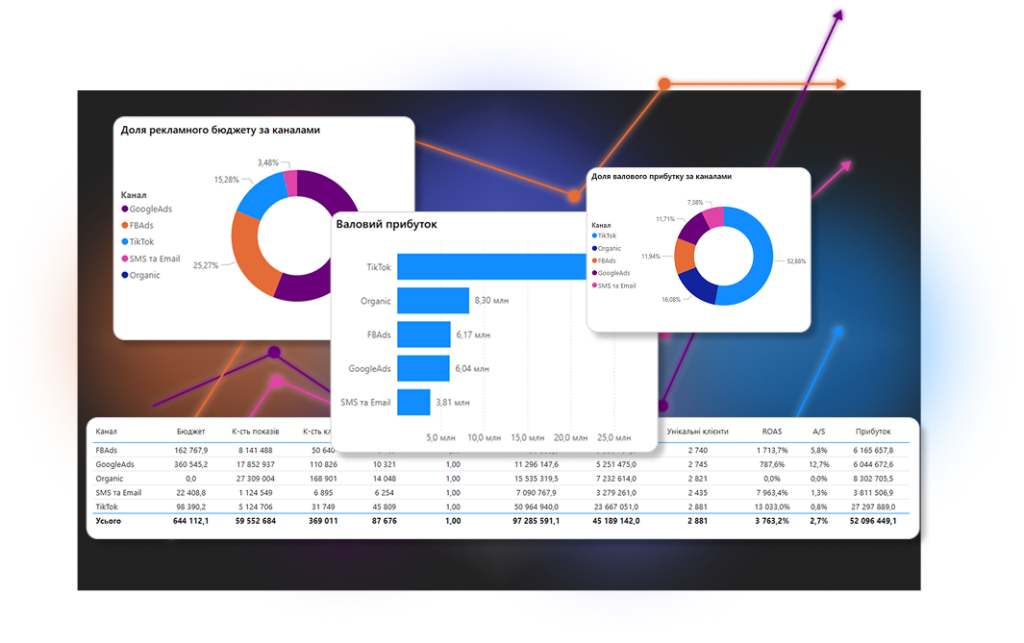
ROAS analytics shows not just return on ad spend, but net profit for each channel—Facebook, Google, TikTok ads, and organic traffic.

Customer Analysis:
Segmentation helps you understand who generates the most revenue and who should be targeted with marketing.

Understanding Your Customer Base:
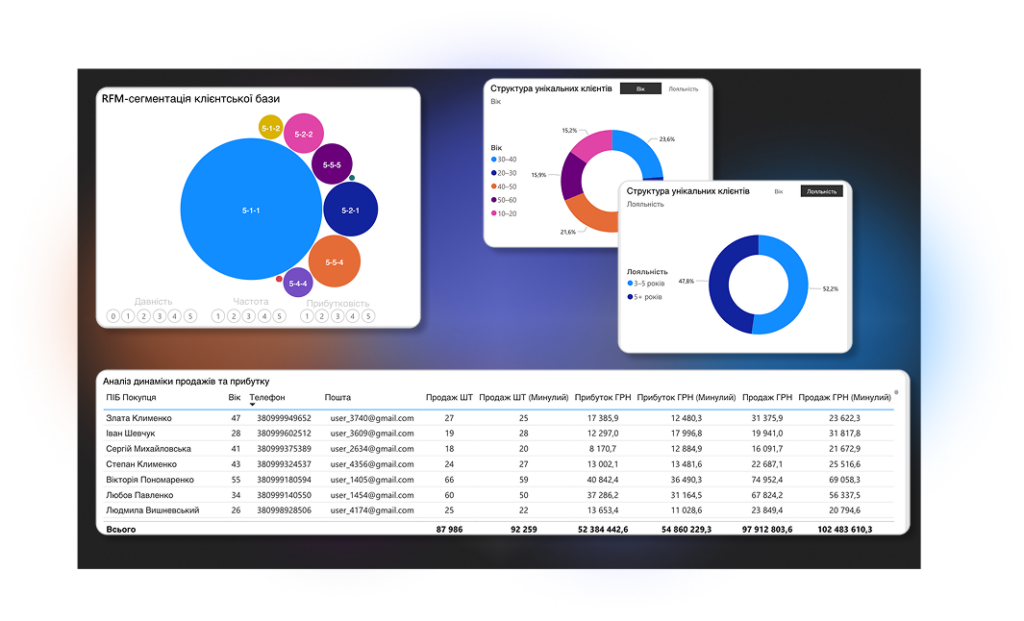
RFM segmentation divides customers into groups: who pays the most, who is leaving, who should be brought back—and how.

Identifying Budget Waste:
BI analytics automatically shows points where money is spent without results—and you react immediately, not at the end of the month.
5 Signs Your E-commerce Needs Business Intelligence Right Now
Many e-commerce businesses face a situation where advertising metrics grow, but profit does not increase. The owner sees revenue but does not understand what actually generates money. BI for online sales solves precisely this problem: the reason is often not in advertising or the product, but in the absence of a unified analytics system.
What You Will See in Your Analytics
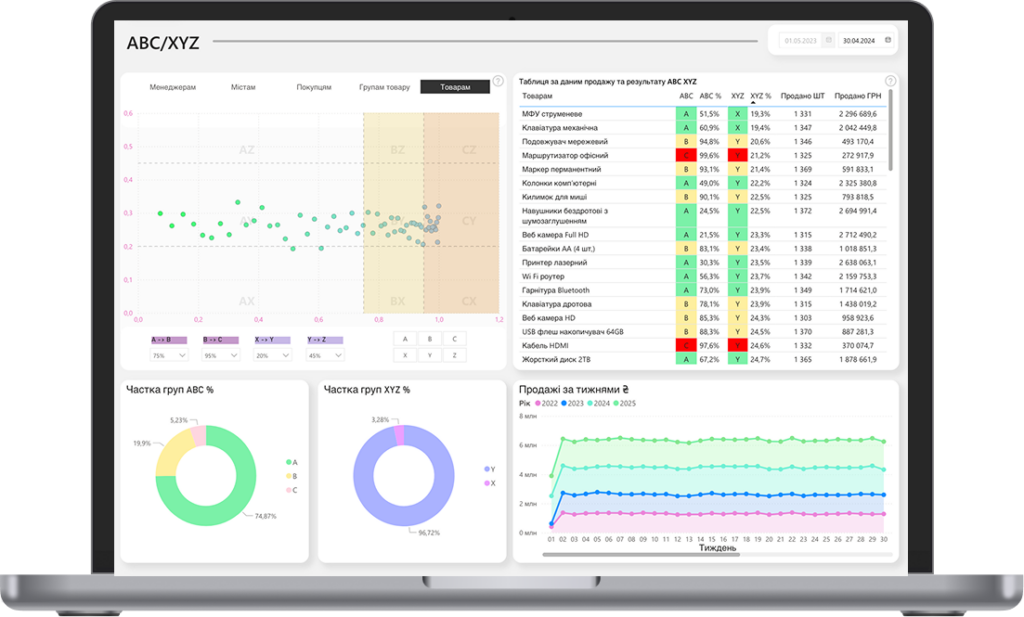
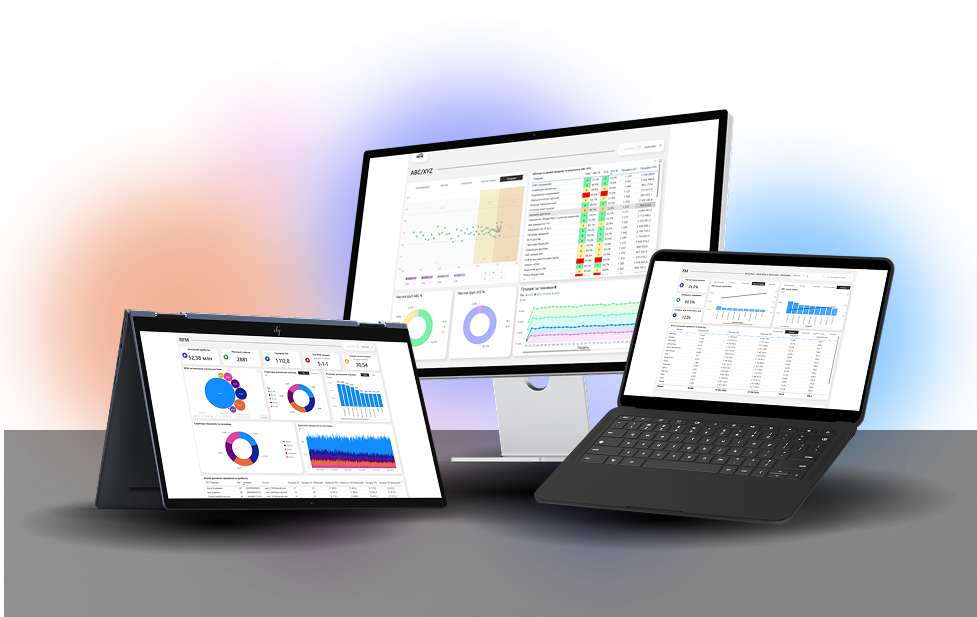
ABC/XYZ Product Analysis
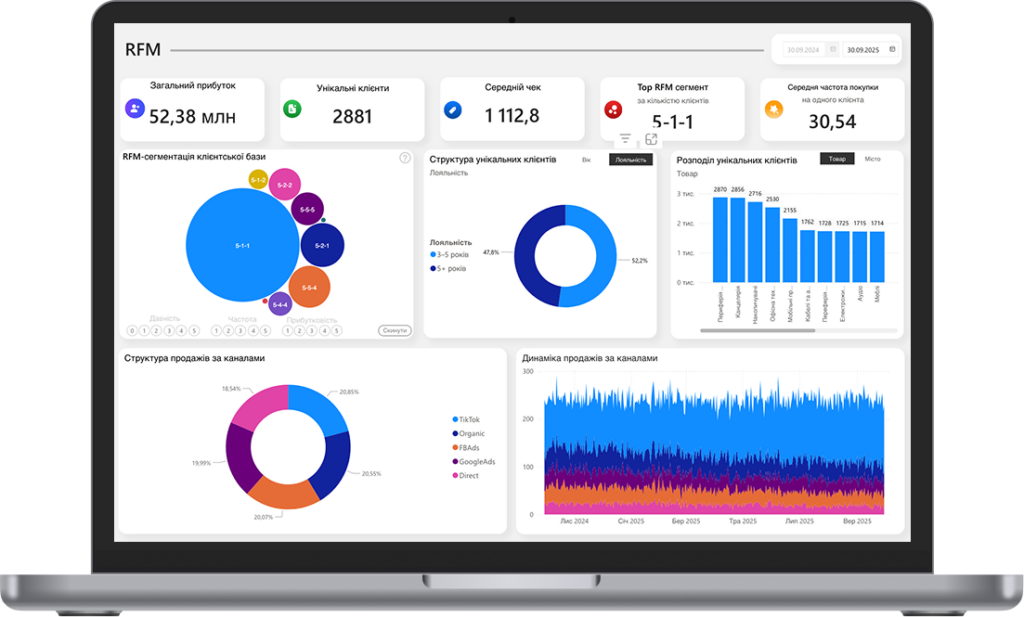
RFM Customer Segmentation
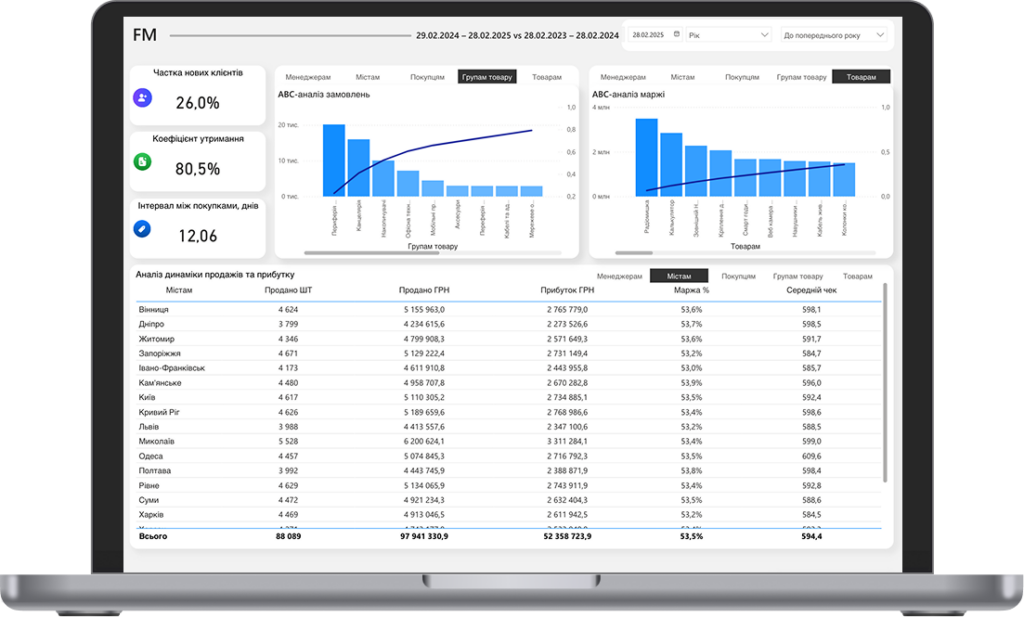
FM Customer Segmentation
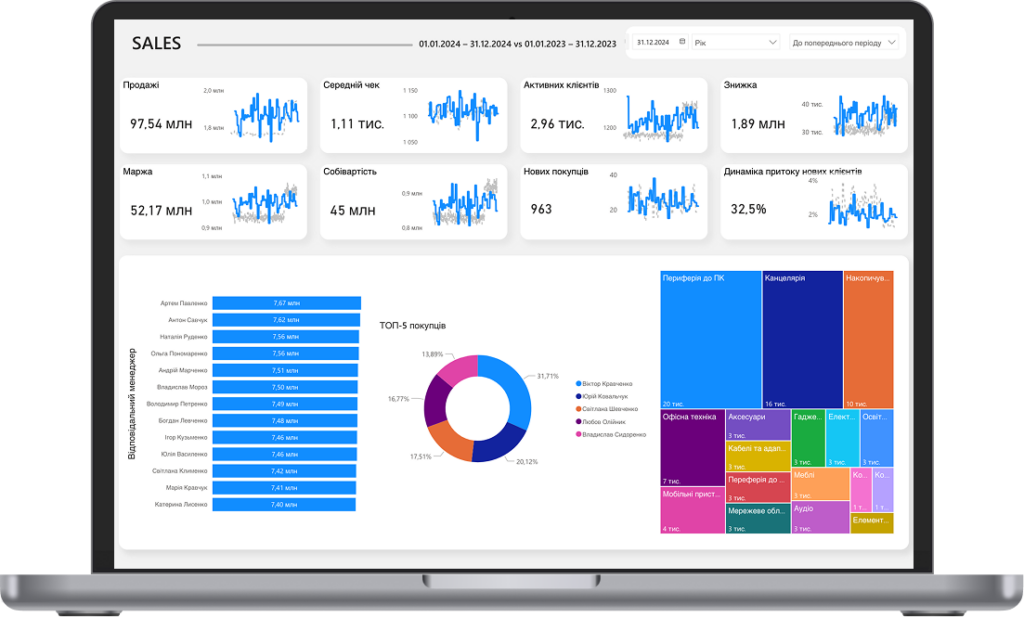
Profitability Analysis
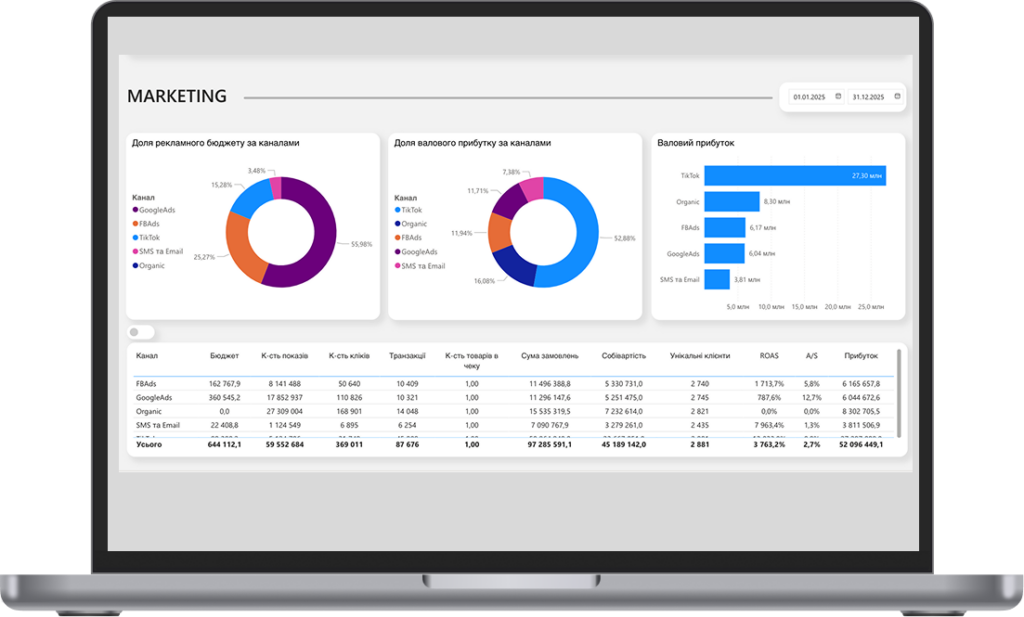
Advertising Channel Analytics
What is included in the BI package for e-commerce: full composition for $200/month
5 Dashboards in Power BI
These aren’t template reports—each module is designed for real e-commerce tasks: from monitoring daily profit to identifying products that are dragging margins down. Dashboards for an online store on Power BI (Power BI dashboards for e-commerce) are interconnected: you move from general to specific in a few clicks, without switching between systems.
RFM Segmentation with Export
The system automatically divides the base into segments. You receive a ready file for upload to any other service—and launch personalized campaigns without additional analyst work.
Advertising Analytics Dashboard
Everything in one window—Facebook, Google, organic. You see not just ROAS, but net profit per channel after all costs. Budget reallocation decisions take minutes, not days of manual data collection.
Continuous Data Updates
Dashboards are connected directly to sources and update themselves on schedule. You open a report and see the current state of the business today, without collecting files and manually updating spreadsheets.
Technical Support
You are assigned a specific person who knows your system and your business. If something goes wrong, a question arises, or you need help interpreting data—you write directly to the manager, not to a general support chat without a name or face.
Training Materials
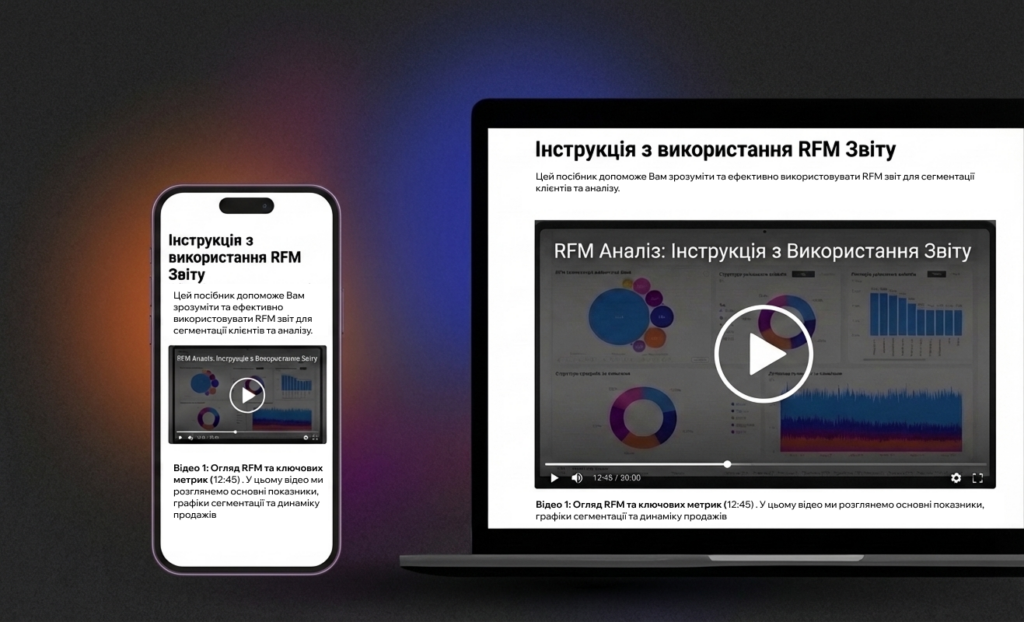
Many tools are purchased and not fully utilized—simply because it is unclear how to read the data correctly. Each dashboard includes a short video and text guide: what to look at, how to interpret metrics, and what decision follows from them.
Business Intelligence in 1 Day: 3 Steps to Launch Analytics
No integrations, no programmers, no technical tasks for a month ahead. From zero to a fully functional analytics system—one day.
Free Diagnostics
We analyze your business: what data you have, in what format, what tasks analytics should solve. Diagnostics takes 30–40 minutes and gives you a specific list of points where your e-commerce is losing money—regardless of whether you proceed further.
Data Upload Using Template
You receive ready templates for upload: orders, expenses, advertising data. The format is standard Excel or CSV, nothing new to learn. Preparation takes 1 to 3 hours depending on database volume.
Connection and Launch
You submit the completed files, we configure the dashboards and return a ready system. Your task is to review the results and ask questions. From this moment, business analytics for your e-commerce operates at full capacity.
Analytics for e-commerce is for you if…
E-commerce owner for 1+ years
Revenue from $15k+/month
2+ advertising channels
Existing customer base with regular sales
No unified profit analytics system
Business at a scaling or stress point
Frequently Asked Questions About Business Intelligence for Online Stores
What does Power BI give an online store?
Power BI for an online store is a single system that brings sales, advertising, customer, and margin data together into one dashboard. You stop compiling reports by hand and get ready answers: what to sell more of, where to cut costs, which customers to retain. Decisions are made based on facts rather than intuition.
How much does BI analytics for e-commerce cost?
The full package with 5 dashboards, RFM segmentation, advertising analytics, and technical support costs $200/month. This is a fixed price with no hidden surcharges. It is considerably cheaper than hiring an in-house analyst or spending ad budget without understanding your real profitability.
What is end-to-end analytics and why does e-commerce need it?
End-to-end analytics is an approach in which all data — from the first click on an ad to the actual payment for an order — is collected into a single system. For e-commerce, this means you see not just the ROAS in the ad account, but the real net profit for each channel, taking returns, delivery, and operating costs into account.
How quickly does the analytics launch and do you need a developer?
We designed it so that a 1-day implementation is possible without developers and technical specifications: you receive templates for uploading data in Excel or CSV format, fill them in, and send them to us. After that, we set up the dashboards and return a ready-to-use system.
What are RFM segmentation and ABC/XYZ analysis?
ABC (ABC/XYZ) analysis is a method that categorizes products into groups based on their contribution to revenue and sales stability. RFM analysis automatically segments your customer base into groups based on purchase age, frequency, and amount, so you know exactly which customers to retain, which to win back, and which ones aren’t worth spending your marketing budget on. ABC/XYZ analysis does the same for products: it shows which items form the basis of revenue and which are just taking up space in the warehouse. How can you perform ABC analysis without manual calculations? In our system, this happens automatically—you don’t need to calculate by hand or figure out formulas.
Which data sources can be connected (Facebook, Google, CRM)?
The system supports integration with key data sources: Facebook and Google Ads accounts, CRM systems, and order data from your website or marketplace. We connect data from both your own website and marketplaces—analytics for marketplace sellers (marketplace BI) are displayed in the same dashboard. End-to-end analytics consolidates all these data streams into a single dashboard, giving you the full picture without having to manually compile spreadsheets. If you need comprehensive management of online channels, we complement the analytics with e-commerce solutions.