


April 24, 2026

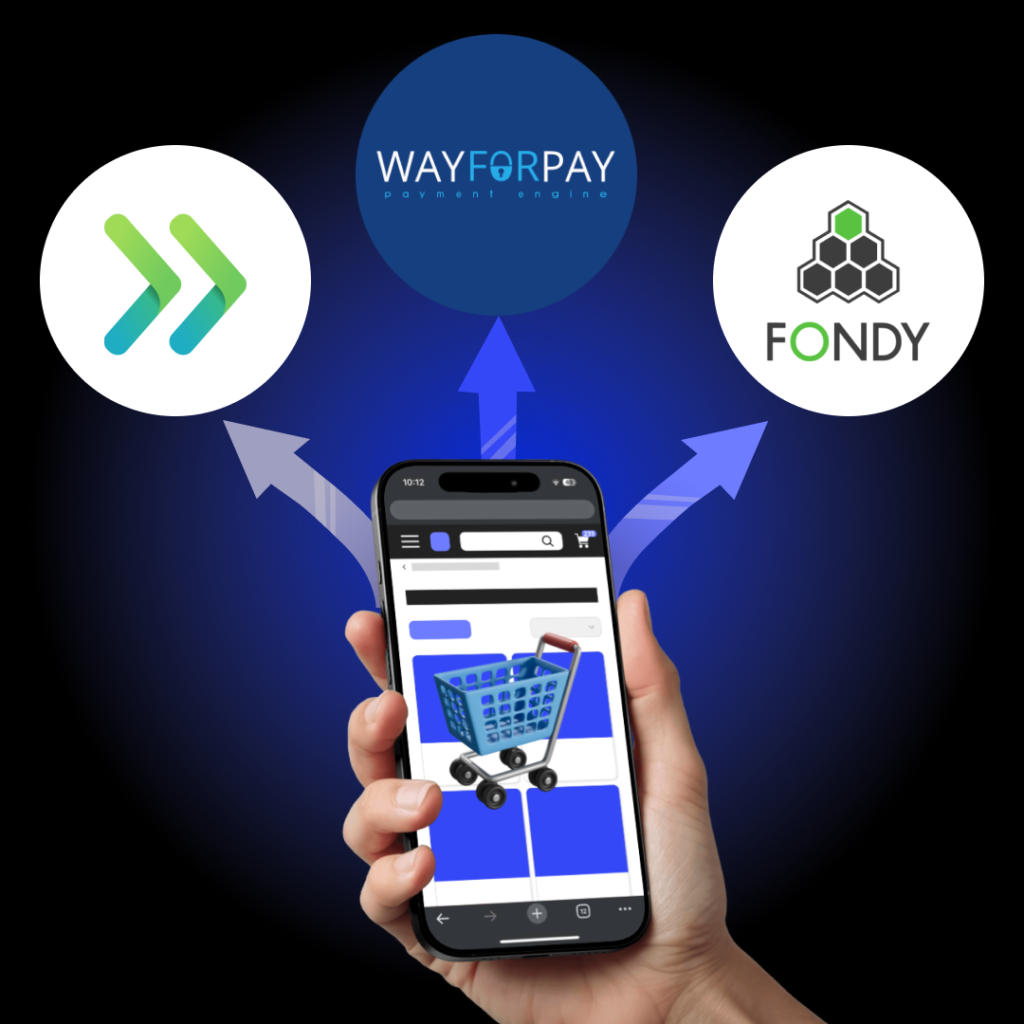
Ukraine is among the countries with the highest share of non-cash payments in Europe: according to the results of 2025, 95.4% of card transactions of Ukrainians were non-cash, and the total number of transactions exceeded 9 billion. People pay for coffee, a supermarket, a pharmacy with their phone every day, but as soon as they go to an online store and reach the “Pay” button, everything can stop. There can be many reasons: an unfamiliar data entry form, three extra steps, a page that looks strange on a mobile phone, an error without explanation. The client has the money, the desire to buy too, but the payment never took place.
According to the Baymard Institute, the average cart abandonment rate is 69.99%, that is, only three out of ten buyers complete the purchase. Some of the reasons are related to price or delivery, but the other part is also related to how the payment process is configured. And here’s the bottom line: payment systems for an online store are an important part of the user experience that either converts or kills sales.
This guide is about how to make the payment go through. What systems are available in Ukraine in 2026, how to compare them, what to check before launching, and what mistakes you shouldn’t repeat.
Speaking of online store conversion, most owners think about advertising, SEO or design. The payment page rarely gets the spotlight, which is why it so often becomes a weak point.
When the payment form is complicated, unclear or looks suspicious, the customer closes the tab. The complicated ordering process scares off 17% of users. Another part is because the desired payment method is simply not supported: some want to pay via Privat24, others using Apple Pay, and still others in installments.
Improving the usability of the shopping cart can increase the conversion rate by 35.26%. This is not a marginal improvement, it is tens of percent of potential revenue that currently simply does not reach the checkout.
A separate point is the mobile version. About 60% of purchases in Ukrainian online stores are made from mobile devices, which means that a payment form that looks good only on a desktop does not actually work for most buyers.
Critical points of mobile payment: input fields should call up a numeric keypad for the card number, the confirmation button should be within the reach of the thumb, and the redirect to 3D Secure should open in the same window without unnecessary transitions. Every extra click or inconvenient element in this step is a real percentage of incomplete payments.
Trust is built over years, but destroyed in seconds. When a customer sees an unfamiliar page for entering card details without any security signs, the first reaction is to close it.
A properly integrated payment system demonstrates to the buyer that his data is protected: an SSL icon, Visa/Mastercard logos, or a recognizable payment gateway in Ukraine (LiqPay, WayForPay). If a business has a PCI DSS certificate, indicating this fact increases the level of customer trust.
It is worth talking about 3D Secure separately. For the customer, confirmation via a banking application or SMS is an unnecessary step, but for the store it significantly reduces the risk of chargebacks. If the payment was made with 3D Secure, the responsibility in the event of a dispute passes to the issuing bank. Disabling this mechanism for the sake of a more convenient flow is an unprofitable exchange.
Another factor that is underestimated: the compliance of the payment form with the overall design of the site. If the entire store is designed in the same style, and at the checkout step a page opens that looks like it’s from another site – this is a warning signal for the buyer. Most modern providers allow you to customize the payment page: color, logo, fonts. It’s worth using it.
So, among the problems that destroy sales, not only technical failures, but also the lack of visual security signals, even when the system is actually protected.
LiqPay is one of the oldest and most recognizable players on the market. A product of PrivatBank, which means it has the largest retail banking base in the country. This is a weighty argument: the client sees a familiar name and the level of anxiety decreases.
The system supports payment by Visa, Mastercard and Prostir cards, via Privat24, Google Pay, Apple Pay, as well as via iBox terminals and payments from abroad. There is a subscription function (recurring payments), hold transactions and MOTO payments. Connection via personal account or Diya, documents are submitted electronically.
The tariff for online acquiring is formed individually depending on the business category and turnover. The standard rate for trade transactions is 2.75%, industry categories (tourism, aviation, insurance) have separate conditions. Details of LiqPay integration and the current tariff are specified in the personal account.
Suitable for: small and medium-sized businesses, stores focused on the audience of PrivatBank and Monobank.
WayForPay is a payment platform that positions itself as a solution for businesses of any scale. The system has been operating on the market since 2014 and offers tools for online commerce and offline business: QR terminals, landing page designers with connected payment modules, discount generators.
Installments from four Ukrainian banks are available without additional integrations: the store receives the full amount immediately. One-click payments, recurring debits, refunds without additional fees are supported.
The service fee is 2% and is charged only for successful payments. Connecting to the service is free. WayForPay integration is available via API, ready-made plugins for WooCommerce, OpenCart, Magento or via a code-free designer. In some cases, the rate is considered individually depending on the type of activity.
Suitable for: online stores, marketplaces, subscription services, businesses that need installments without agreements with banks.
Portmone is one of the first on the Ukrainian online payment market. Among its clients are e-commerce, government agencies, banks, insurance companies, and utility companies. This speaks of the level of reliability and scale of integrations.
The system supports two-step payments (hold), automatic payments, two-click payment after saving the card, and pre-authorization for up to 7 days. API, iOS and Android SDKs, as well as special payment modules for CMS systems are available for integration.
Connection to the Portmone payment system is free. The commission depends on the terms of cooperation and does not exceed 2.6% per payment. With a turnover of more than 500,000 UAH per month, individual conditions can be agreed upon.
Suitable for: medium and large businesses, projects that are important to the provider’s reputation and support for complex scenarios.
Fondy is an international payment platform founded in 2014 in Kyiv. It works with over 20,000 merchants in 40 countries, supports accepting payments in 150+ currencies from 200+ countries. For the Ukrainian market, this is one of the most functional options: a single contract opens access to all platform tools without additional connections.
Supported methods: Visa, Mastercard, Prostir, Apple Pay, Google Pay, Frisbee installments and monobank. There are funds holding, recurring payments, splitting payments between several recipients, payments to individual cards, free PRRO. The payment page is translated into 19 languages (convenient for stores that work with foreign buyers).
Connection is free, there is no subscription fee. The commission depends on the turnover: with a turnover of up to 500,000 UAH per month – 2.2% for Ukrainian cards (2.4% for international); from 500,000 UAH – 2% (2.2% for international); over 5 million UAH – individually. Payment conversion – up to 98%, uptime – 99.99%.
Suitable for: online stores of any scale, marketplaces, SaaS, EdTech, HoReCa, charitable foundations.
iPay.ua is also one of the oldest online payment services in Ukraine, launched back in 2008. The primary specialization is payment for utilities, mobile communications, and loans. But the platform also provides online acquiring for accepting payments on the site.
Visa, Mastercard, Apple Pay, Google Pay, Masterpass, MONEGO, and payment via Viber Chatbot are supported. There is merchant acquiring, P2R storefront, and payment of tips.
The payment fee is 2% + 5 UAH. To receive an individual tariff for acquiring, you should contact your personal manager.
Suitable for: businesses with a focus on regular and utility payments, merchants who value a wide audience of existing service users.
Stripe is an American payment platform that serves companies such as Google, Amazon, Netflix and Shopify. The service supports over 135 currencies and operates in 46 countries, processing over 250 million requests daily.
Important: Stripe does not officially operate in Ukraine, but there are legal options for connecting through the registration of a legal entity in the country of presence of the service: USA (LLC), Estonia (e-residency) or Great Britain.
The standard Stripe fee is 2.9% + $0.30 for each successful transaction. For international cards, another 1.5% is added, for currency conversion – 1% of the amount.
Suitable for businesses that sell to the international market or have a legal entity abroad.
Payoneer is an international payment system focused primarily on receiving funds from foreign partners, marketplaces (Amazon, Upwork, Fiverr) and B2B payments. It is fully available in Ukraine.
The service allows you to receive payments in dollars, euros and other currencies to local accounts, withdraw funds to an account in a Ukrainian bank and use your own Payoneer debit card for expenses.
Suitable for: freelancers, agencies, SaaS companies and e-commerce working with foreign clients and marketplaces.
A difference of even 0.3-0.5% on an annual turnover of 5 million UAH is already 15,000-25,000 UAH. Therefore, it is important to calculate the full conditions: minimum fixed part, dependence on turnover, industry exceptions.
| Payment System | Base Fee | Note |
|---|---|---|
| LiqPay | 2.75% | Standard merchant rate; industry rates separate |
| WayForPay | 2% | Fixed fee, charged only on successful payments |
| Portmone | up to 2.6% | Depends on partnership terms |
| Fondy | 2.2%/2% | Up to UAH 500k – 2.2%; from UAH 500k – 2%; international cards +0.2% |
| iPay.ua | 2% + UAH 5 | Fixed fee |
| Stripe | 2.9% + $0.30 | +1.5% for international cards |
All fees listed are subject to change, so we recommend checking the terms directly on the providers’ websites.
Payoneer is not included in the fee comparison: the service is not a payment gateway for an online store and is not intended to accept payments from end customers. It is used to receive payments from international marketplaces and B2B partners.
WayForPay, Portmone and iPay.ua do not charge connection fees and monthly maintenance, the commission is only for successful transactions. LiqPay is similarly connected for free. Stripe has no subscription fee, but requires a legal entity in a supported country, which is the real cost of entry.
For iPay.ua, the terms of online acquiring are formed individually through a personal manager.
In addition to basic card acceptance, modern systems offer significantly more. WayForPay and LiqPay support recurring payments for subscription models. WayForPay additionally offers installments from banks without separate contracts: the client chooses installments at the payment step, the store receives the full amount immediately. Portmone supports hold transactions and pre-authorization for up to 7 days, which is useful for delivery or booking services: funds are reserved on the card, but are debited only after confirmation of shipment. iPay.ua focuses on a wide network of existing users of the service and Viber payments, which is convenient for an audience that is used to paying through messengers.
Fondy stands out with the widest set of tools in one contract: splitting payments between several recipients (relevant for marketplaces), payments to individual cards, abandoned carts with automatic reminders, and free PRRO. For businesses selling abroad, support for 150+ currencies and automatic localization of the payment page to the buyer’s language are important.
Stripe in this context is a tool for an international audience: a developed ecosystem of tools for subscriptions, marketplace payments, and financial analytics, but entry requires a foreign legal entity.
Before connecting any payment system, the site must meet the basic list of requirements. HTTPS with a valid SSL certificate is mandatory, without it the browser warns the user about the danger, and the conversion drops even before the payment step. You also need a correct successful payment page and an error page, without them the callback from the payment system will not land anywhere.
At the backend level, the server must accept webhook requests (callback) from the payment system, process transaction statuses and record them in the order database. If this chain is broken, the money can be debited, and the order is not created.
For most systems, ready-made modules for popular CMS are available: WooCommerce, OpenCart, Magento. For custom solutions – API and SDK.
To connect payment acquiring in Ukraine, you must be a registered individual entrepreneur or legal entity. An individual without entrepreneurial status will not be able to connect a merchant account.
When registering, providers request: an extract from the Unified State Register of Legal Entities, TIN (for individual entrepreneurs) or EDRPOU (for legal entities), passport details of the owner, bank account details for payments. Verification usually takes 1-3 business days.
Another aspect is a public offer on the site and a privacy policy. Without them, the payment provider may refuse to connect or suspend work after verification.
PCI DSS is an international security standard for processing payment card data, developed by Visa, Mastercard and other international systems. Every organization that accepts and processes bank card data on its website must comply with PCI DSS requirements.
Good news for most online stores: if you accept payments through a certified gateway (LiqPay, WayForPay, Fondy, Portmone), and do not store card data on your own server, the requirements for you are minimal. The site must be functional, support the SSL protocol and provide complete information about the seller and the product, and the provider itself undergoes full certification.
The PCI DSS standard sets forth 12 basic requirements, grouped into 6 goals, including network infrastructure protection, access control, data encryption and regular security audits.
The registration process is similar for all providers. It usually looks like this: filling out a form on the website (company name, website, email, product/service category), phone and email verification, uploading documents via your personal account or via Diya, verification by a manager. After activating your account, you will receive a merchant ID and a secret key for integration.
An important nuance that is often ignored at the start: the business description and product category must exactly match what you actually sell. If during moderation the manager sees a discrepancy between the declared activity and the website, the connection may be delayed or rejected. Some categories (medicines, alcohol, weapons, gambling) require additional licenses or are not connected at all in the standard manner.
Another point: the name of the recipient in the payment form. The client sees who he is transferring money to: the name of the individual entrepreneur or legal entity specified in the agreement with the provider. If this name does not match the store brand and is not explained on the website, some buyers may stop here.
Most providers have detailed documentation and a sandbox environment for testing. WayForPay, LiqPay and Fondy also offer ready-made plugins for popular CMSs, where most of this chain is already implemented.
Each provider provides test cards to simulate different scenarios. Use them completely, not just for successful payment.
Before switching to production mode, make sure that the API keys are replaced from test to production, the callback URL points to the production server, not localhost, and the SSL certificate is valid. Also, check that the successful payment and error pages are displayed correctly and contain information about the order: the client should receive confirmation immediately after payment, without waiting for an email.
Monitoring the first 24-48 hours after launch is critical: check the callback request logs and order statuses after each payment. Separately, check the behavior during peak loads. If you plan a promotion or mailing immediately after launch, make sure that the server can withstand simultaneous requests without delays in processing callbacks. A delay of even a few seconds can lead to duplicate orders or non-updated statuses.
The payment on the site went through, but the order did not appear. The most common problem: the callback is not processed or is processed with an error. Check whether your callback URL is available from the Internet, whether it returns HTTP 200 in response, whether there is a firewall blocking requests from the IP of the payment system.
3D Secure does not work on mobile. Some built-in browsers (WebView) block the redirect during 3D Secure. Solution: use a native browser or an SDK-option for integration instead of WebView.
The client clicked “Pay” twice and the funds were debited twice. Block the payment button after the first click and implement idempotence: checking the unique order ID before re-creating the transaction.
The payment form loads slowly. Usually the reason is too many external scripts or the lack of preconnect to the payment system domain.
The refund is not displayed to the client. API refund is a separate request to the payment system. Make sure it is sent and that the refund status is correctly recorded in the database and sent to the client by mail.
The payment is rejected for a specific bank. Sometimes the issuing bank blocks the transaction due to its own fraud rules, unrelated to your integration. In this case, it is worth checking if your provider supports cascade routing – automatic redirection of the payment through another acquiring bank if the first one refuses. Fondy and WayForPay have this mechanism.
Chargeback from a customer you do not know. If the customer initiates a dispute through the bank, you have a limited time to respond (usually 7-20 days depending on the payment system). Without transaction logs, delivery confirmations and order screenshots, the chances of winning the dispute are minimal. Keep all data about each order and payment for at least 13 months.
Building a payment infrastructure that does not break during promotions, correctly synchronizes with ERP and CRM, supports several providers at the same time and scales with the business is a multi-level task.
The IWIS team has experience in e-commerce solutions and software development for businesses of various scales. We will help you choose a provider for specific requirements, implement integration taking into account all scenarios and set up monitoring after launch.
Leave a request on the website for a free consultation, and we will analyze your situation and offer the optimal solution.