
Business Intelligence for e-commerce
Discover where your business is losing profit—and change it
Get a ReportWhat changes in your business after implementing Business Intelligence
Management analytics is not about beautiful charts. It is about a systematic transition from intuitive decisions to decisions based on real data from your business. When you see the full picture, profit grows because the number of costly mistakes decreases.

Profit/Expense Control:
You see not only revenue but all expenses broken down: where the budget is spent and how much remains after advertising and operational costs.

Margin per Product:
You know exactly which items generate profit and which drag margins down—and you adjust your assortment based on data.

Advertising Channel Effectiveness:
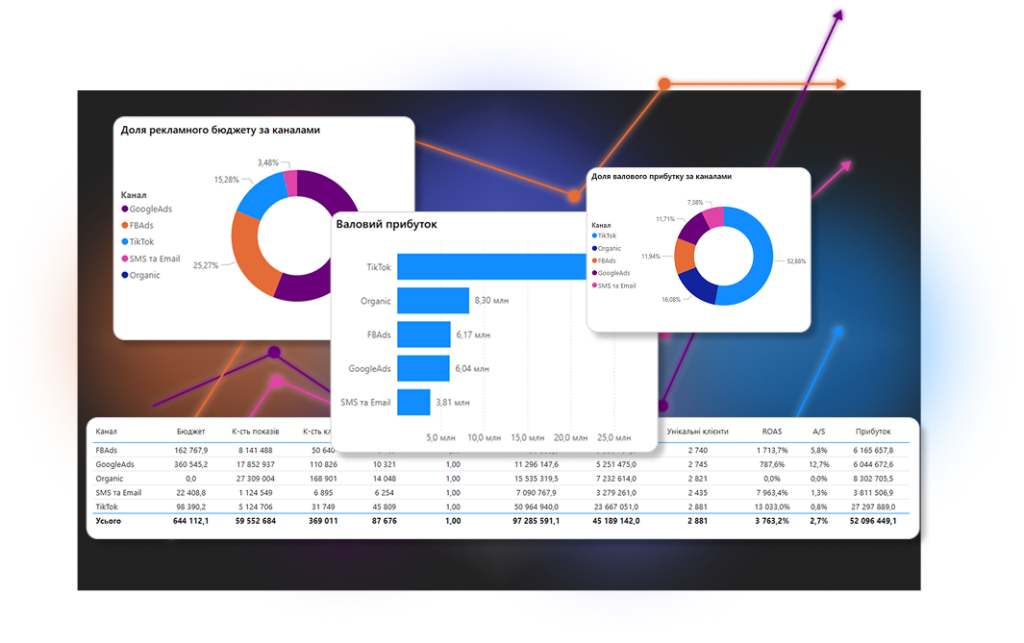
ROAS analytics shows not just return on ad spend, but net profit for each channel—Facebook, Google, TikTok ads, and organic traffic.

Customer Analysis:
Segmentation helps you understand who generates the most revenue and who should be targeted with marketing.

Understanding Your Customer Base:
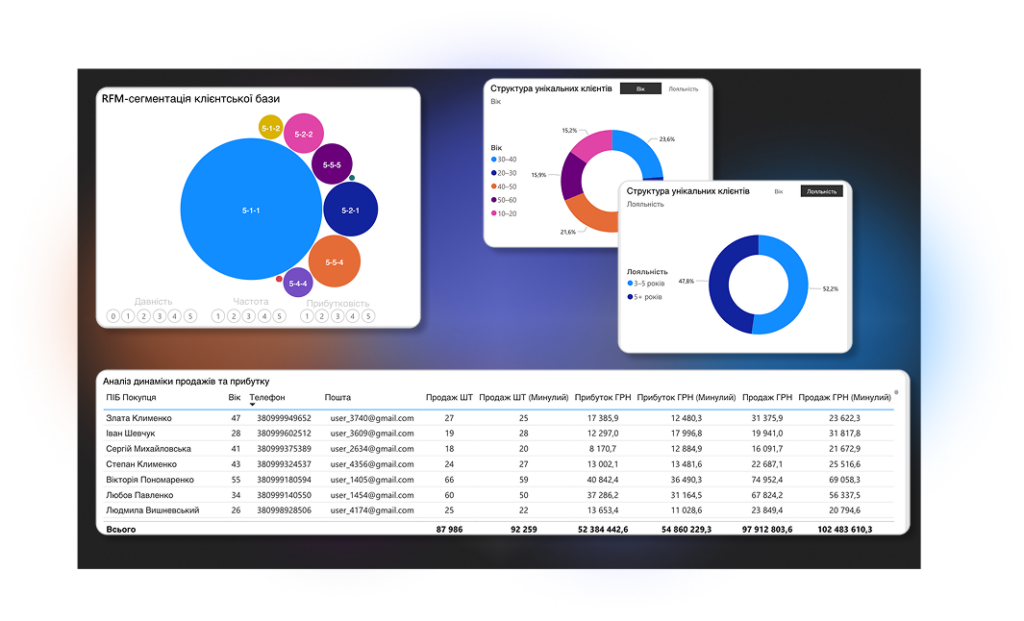
RFM segmentation divides customers into groups: who pays the most, who is leaving, who should be brought back—and how.

Identifying Budget Waste:
BI analytics automatically shows points where money is spent without results—and you react immediately, not at the end of the month.
5 Signs Your E-commerce Needs Business Intelligence Right Now
Many e-commerce businesses face a situation where advertising metrics grow, but profit does not increase. The owner sees revenue but does not understand what actually generates money. The reason is often not in advertising or the product—but in the absence of a unified analytics system.
What You Will See in Your Analytics
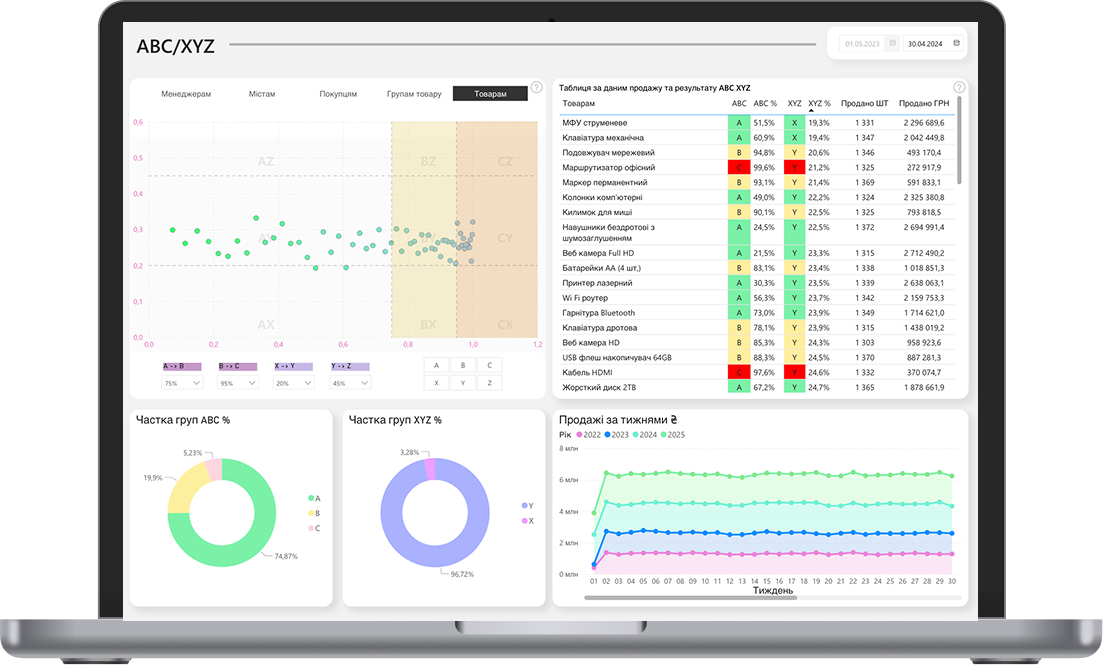
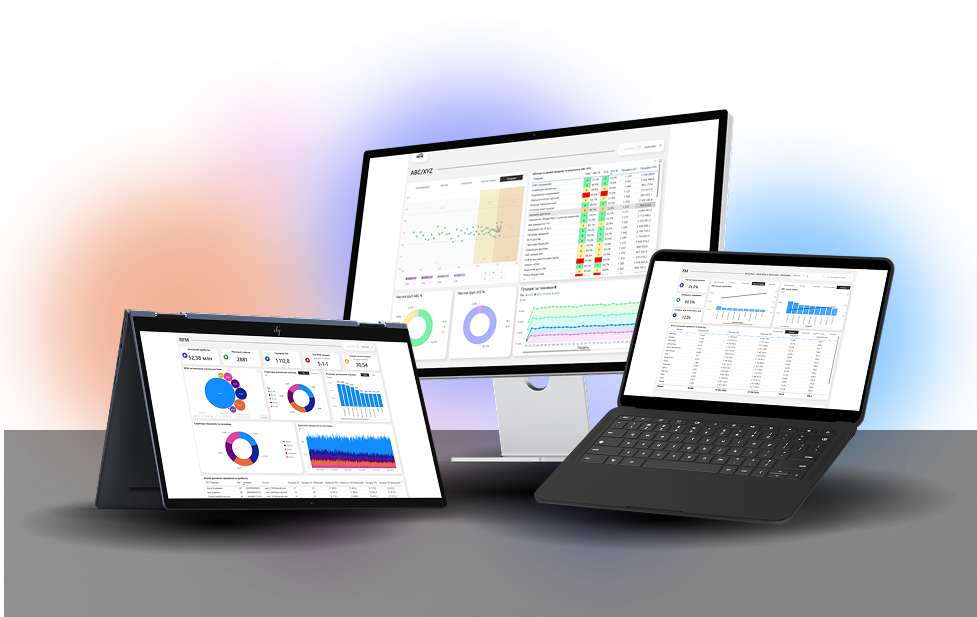
ABC/XYZ Product Analysis
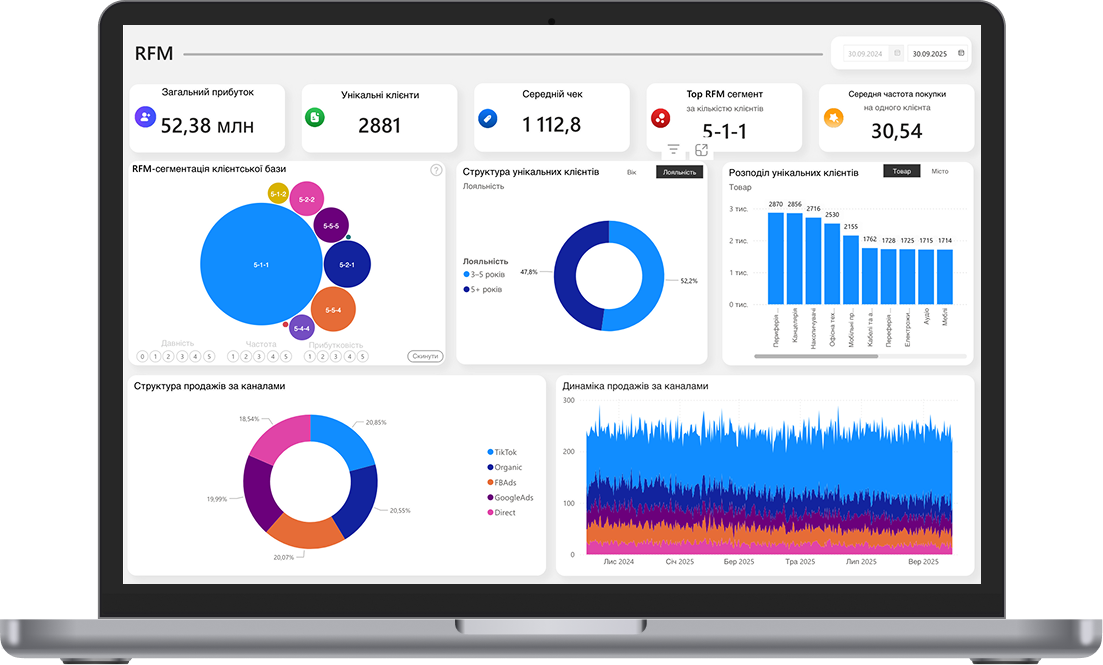
RFM Customer Segmentation
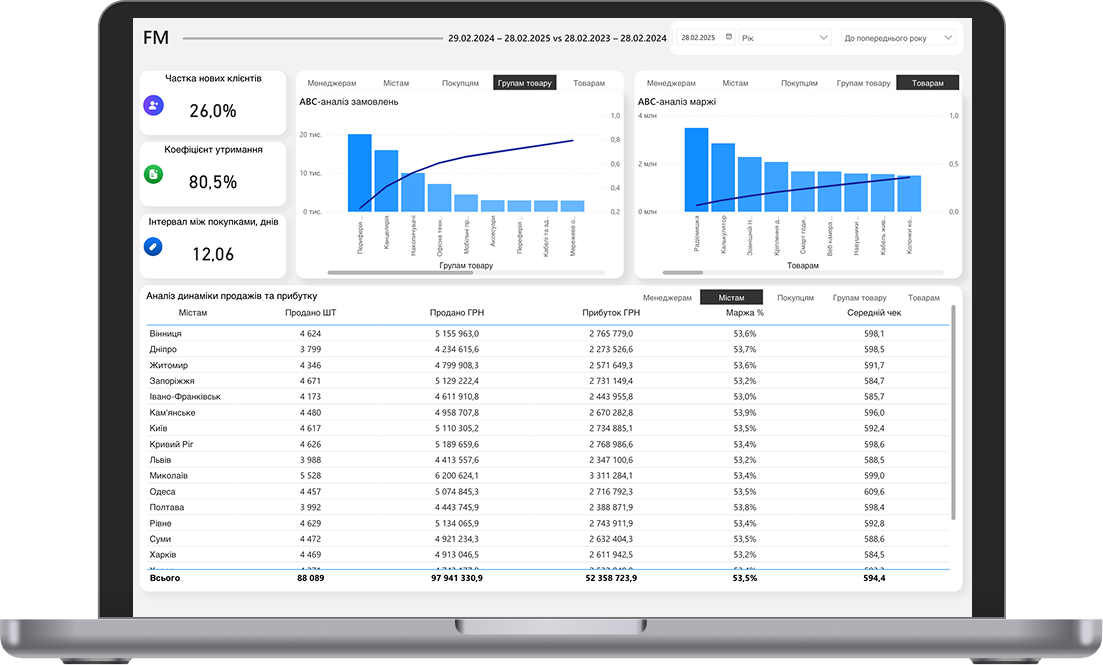
FM Customer Segmentation
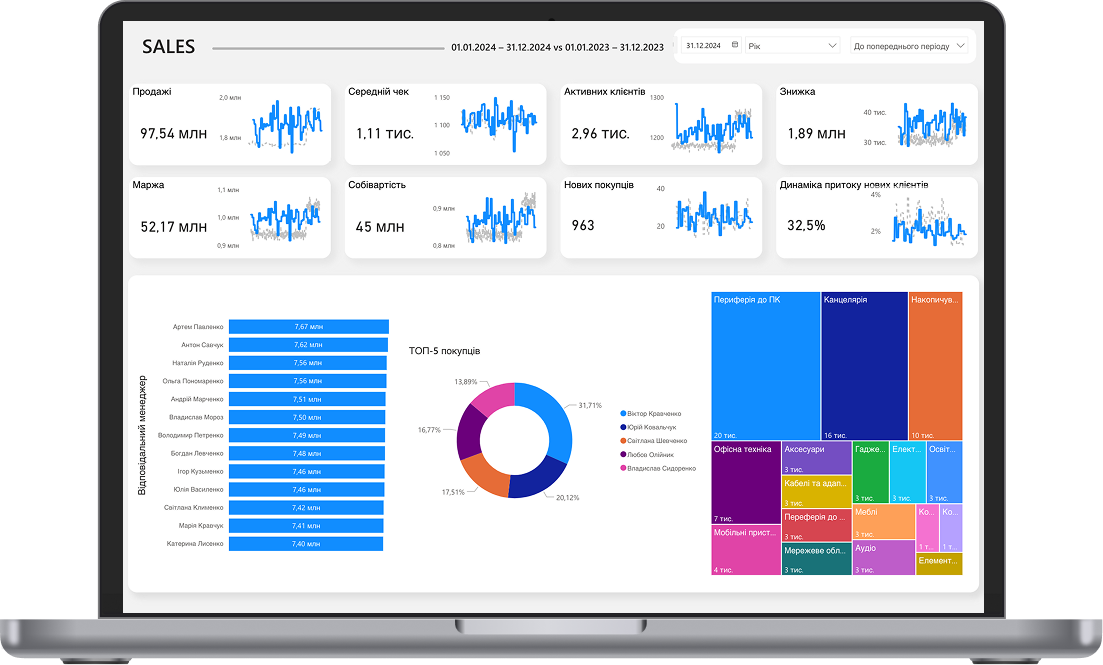
Profitability Analysis
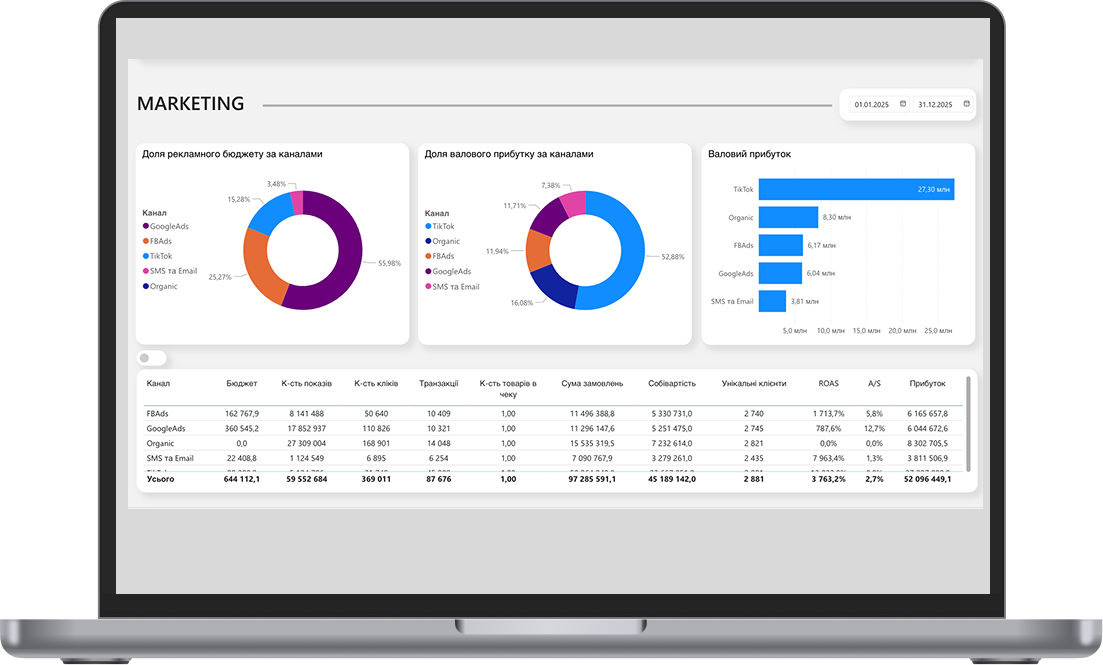
Advertising Channel Analytics
What is included in the BI package for e-commerce: full composition for $200/month
5 Dashboards in Power BI
These are not template reports—each module is designed for real e-commerce tasks: from daily profit control to identifying products that drag margins down. All 5 dashboards are interconnected: you move from general to specific in a few clicks, without switching between systems.
RFM Segmentation with Export
The system automatically divides the base into segments. You receive a ready file for upload to any other service—and launch personalized campaigns without additional analyst work.
Advertising Analytics Dashboard
Everything in one window—Facebook, Google, organic. You see not just ROAS, but net profit per channel after all costs. Budget reallocation decisions take minutes, not days of manual data collection.
Continuous Data Updates
Continuous Data Updates
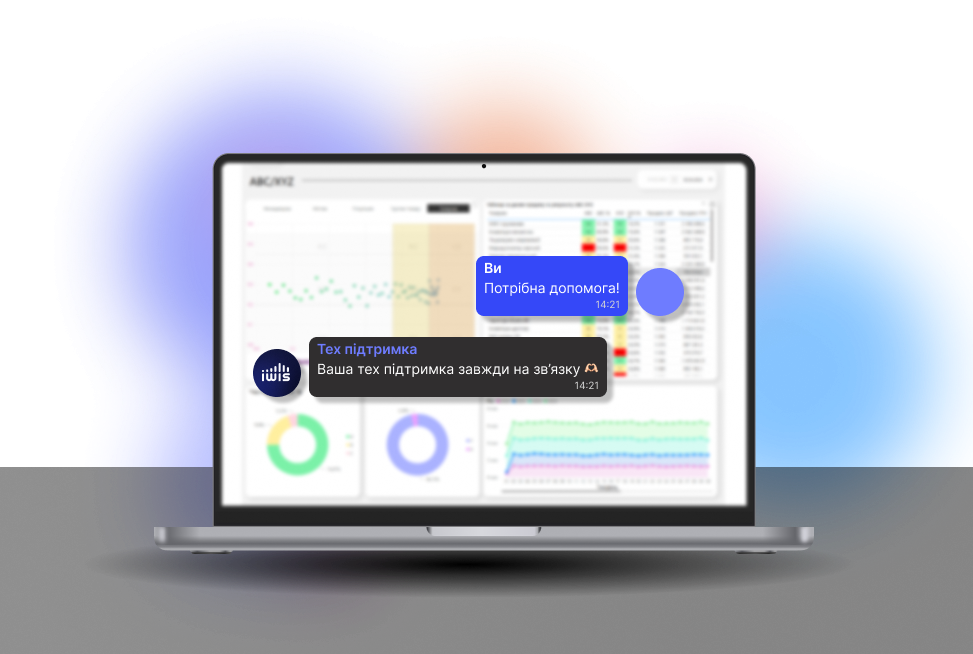
Technical Support
You are assigned a specific person who knows your system and your business. If something goes wrong, a question arises, or you need help interpreting data—you write directly to the manager, not to a general support chat without a name or face.
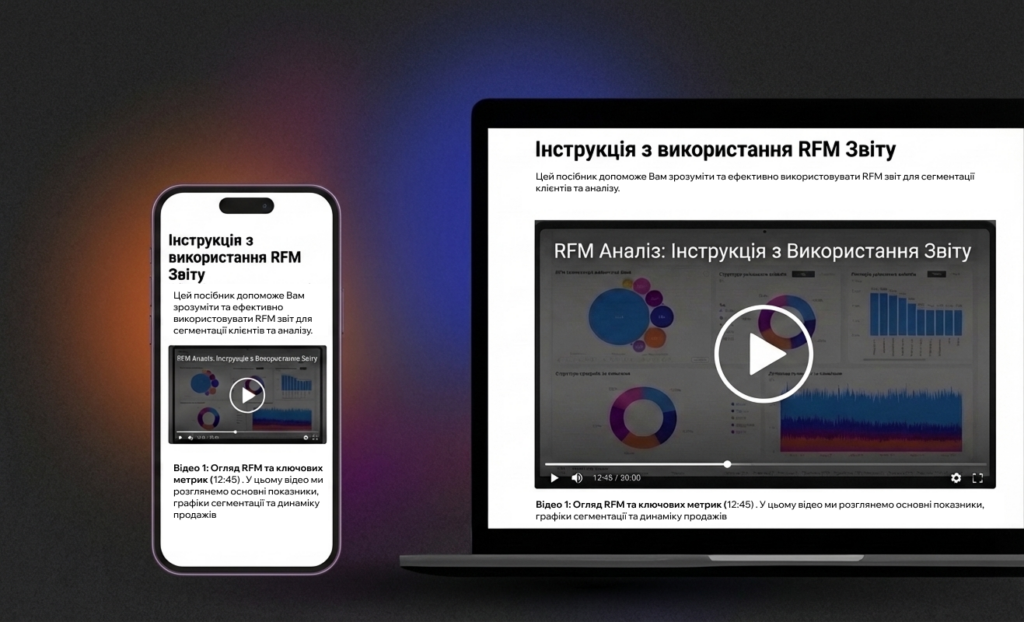
Training Materials
Many tools are purchased and not fully utilized—simply because it is unclear how to read the data correctly. Each dashboard includes a short video and text guide: what to look at, how to interpret metrics, and what decision follows from them.
Business Intelligence in 1 Day: 3 Steps to Launch Analytics
No integrations, no programmers, no technical tasks for a month ahead. From zero to a fully functional analytics system—one day.
Free Diagnostics
We analyze your business: what data you have, in what format, what tasks analytics should solve. Diagnostics takes 30–40 minutes and gives you a specific list of points where your e-commerce is losing money—regardless of whether you proceed further.
Data Upload Using Template
You receive ready templates for upload: orders, expenses, advertising data. The format is standard Excel or CSV, nothing new to learn. Preparation takes 1 to 3 hours depending on database volume.
Connection and Launch
You submit the completed files, we configure the dashboards and return a ready system. Your task is to review the results and ask questions. From this moment, business analytics for your e-commerce operates at full capacity.
Business Intelligence for E-commerce Is for You If…
E-commerce owner for 1+ years
Revenue from $15k+/month
2+ advertising channels
Existing customer base with regular sales
No unified profit analytics system
Business at a scaling or stress point
Frequently Asked Questions About Business Intelligence for Online Stores
What is Business Intelligence (BI)?
This is an approach to decision-making based on facts. It involves systematic collection, processing, and visualization of business data so that managers and teams can see what's happening in the company in real time. BI answers what happened, why, and what to do about it. These are dashboards, analytical models, automatic reports that allow viewing the business as a holistic system.
Навіщо мені бізнес-аналітика?
Business analytics shows which directions bring profit and which drain resources. You see which customers drop off, where processes stall, what affects conversion. It's a way to spot problems before they turn into losses. And conversely – to scale what works. Decisions become more precise, reactions faster.
What’s the difference between BI and Business Analytics?
BI is about real-time visibility: dashboards, reports, metric control. Business analytics is about analyzing causes, forecasting, and scenario modeling. Conventionally: BI shows profit dropped in September, analytics explains why, what happened to customer behavior, and how to fix it. We usually combine both approaches.
What type of analytics do you provide?
It all depends on the task. If real-time metrics are needed – we build interactive dashboards. If understanding customer behavior or demand forecasting – we connect analytical models. If consolidating everything into one window – we create a unified analytics portal. In most cases, we start with an audit: what's already there, what decisions are made, where money is lost. Then we tailor the solution to the business, not vice versa.
How will BI help grow my business?
Data alone gives nothing. But properly presented information speeds up decisions, reveals problems, and shows growth points. BI lets you focus on profitable directions and optimize costs. For example, you see conversion dropped in one region and launch a new strategy test within an hour.
How long does BI implementation take?
From 3 weeks to several months, depending on complexity and your data state. If structured sources and clear specs already exist – we can quickly assemble an MVP with basic dashboards.
Which data sources can you connect?
Practically any: CRM, ERP, marketing platforms, websites, Google Sheets, databases, third-party APIs. Our task is to make data collect automatically, without manual intervention, with clear logic.
What if I have poor or incomplete data?
This is a standard situation, and we don't require perfect data order before starting. On the contrary, we help identify what can be salvaged, normalized, cleaned, or supplemented. Often we show exactly which data is missing for the needed insights. After that, the company starts collecting and storing info better, seeing its impact on strategic decisions.
Is special software needed for BI?
Not necessarily. If you have Microsoft 365 – we can implement basic BI in Power BI without extra costs. For custom analytics – we build a turnkey web platform.
Can you create custom dashboards?
Yes, of course. Every business has its logic, and standard templates often provide no value. We design dashboards understanding who will use them and why: for CEO, marketing, logistics, or production. They can even be role-specific panels.