February 11, 2026


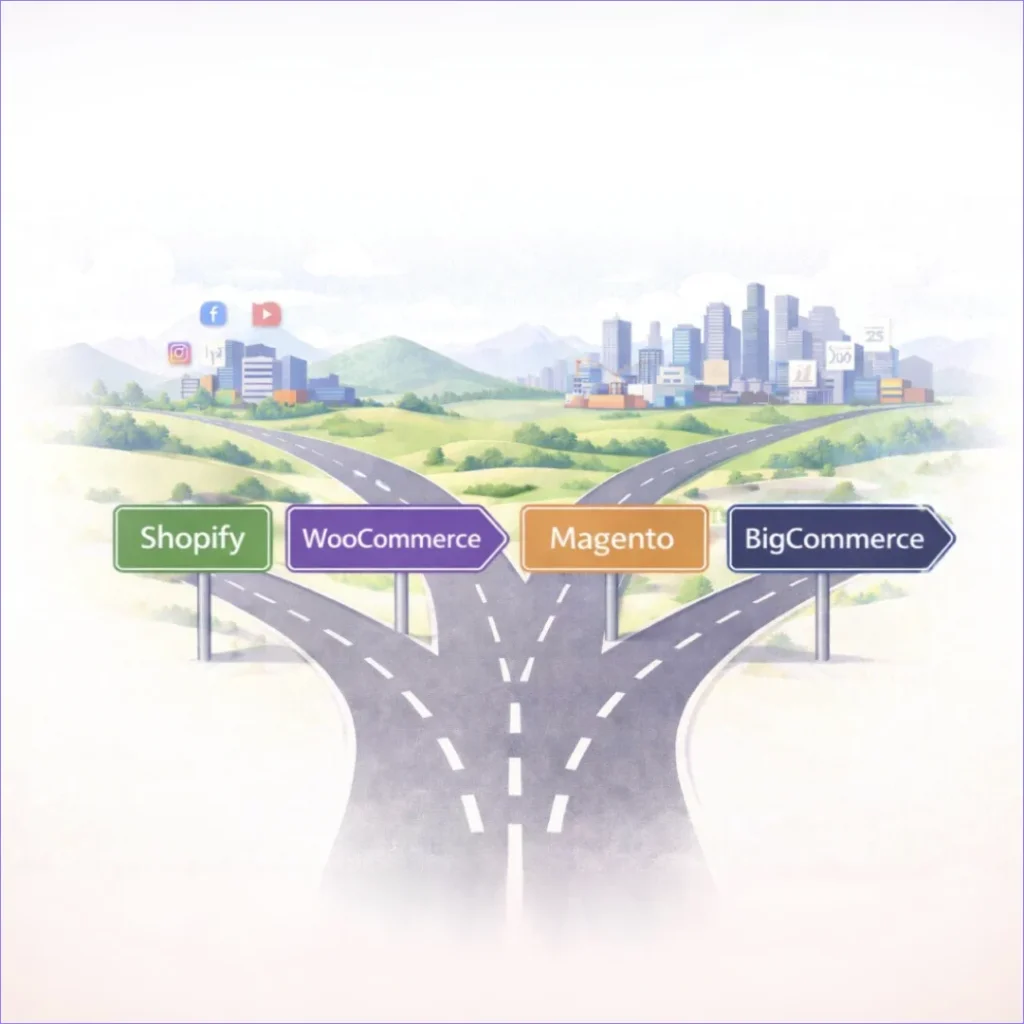
An e-commerce platform is like an engine in a car: the most powerful V8 in a compact city car will work, but it will burn fuel unnecessarily. An economical engine in a truck will move, but it won’t handle the load. Technically, both options function — economically, they fail.
Every e-commerce solution is designed for a specific type of workload, budget, and technical capacity. There is no single best platform. But there is definitely one that matches a business’s real needs at its current stage — and remains relevant as it scales.
The Ukrainian e-commerce market is growing faster than traditional retail. Companies launch online stores, choosing platforms based on reviews or recommendations. Some of them, 12–18 months later, face the need for migration — a process that takes months of work, consumes budget, and often results in lost SEO rankings.
The secret to making the right choice lies in understanding the specifics of each platform and honestly assessing your own needs.
An e-commerce platform functions as the operating system of an online business. It processes orders, manages inventory, integrates with logistics providers, and collects customer data. When a business grows from dozens to hundreds of orders per day, the platform must be able to handle the load. Otherwise, it becomes the bottleneck.
Shopify scales automatically: its infrastructure is built to handle millions of transactions. The company pays a higher subscription fee but doesn’t have to think about servers. WooCommerce on self-hosted infrastructure requires manual management: when traffic grows, you need to migrate to a more powerful server, configure caching, and optimize the database. For a business, this means either hiring a technical specialist or dealing with downtime during promotions.
There is a limit to convenience: Shopify works well up to a certain level of customization, after which you either have to build custom apps or migrate to Shopify Plus. Magento provides flexibility from day one, but requires developers even for basic setup. The difference lies in the stage at which a company is ready to invest in a technical team.
The cost of a platform is not limited to the monthly subscription fee. Shopify Basic costs $39/month, but if you add transaction fees (2% when using third-party gateways), app subscriptions ($50–200/month for email marketing, reviews, loyalty programs), and custom design costs ($3,000–15,000), the annual total can reach $3,000–8,000 depending on revenue and requirements.
WooCommerce is positioned as free, but the real cost includes: hosting ($20–200/month depending on load), premium plugins ($200–500/year), an SSL certificate, a CDN for faster loading speeds, and technical support. If something breaks, the company hires a developer hourly ($30–150/hour), and even a simple fix can take several hours. For a small business, this may be cheaper than Shopify; for a mid-sized company, it can become more expensive due to accumulated maintenance costs.
Magento Open Source is formally free, but requires a dedicated server ($100–500/month), developers for setup ($10,000–50,000 for launch), and ongoing technical support ($1,000–3,000/month). Adobe Commerce (the cloud version of Magento) starts at $40,000/year. This is a solution for large companies and enterprise-level businesses, where platform costs represent only a small portion of the overall IT budget.
At first glance, migration between platforms may seem like simply transferring products and orders. In reality, it means rebuilding all integrations: payment systems, logistics, CRM, marketing tools. It also means training the team on a new interface and risking SEO losses due to changes in URL structure. Most importantly, it often means pausing sales during the migration period or running two systems in parallel.
A company that outgrows its platform spends months of team effort on migration — time that could have been invested in marketing or expansion. The opposite scenario: a startup chooses a complex enterprise platform, invests heavily in development, and six months later processes only dozens of orders while paying for infrastructure that is barely used. Moving to a simpler platform again requires time and budget.
The right choice is based on a realistic assessment: current order volume, one-year forecast, available technical resources, maintenance budget, and mission-critical features required from day one.
SaaS platforms (Shopify, BigCommerce) operate on a subscription model: a ready-made solution that includes hosting, security, and updates. Setup takes hours, and no technical knowledge is required. Limitations: customization is done through apps and themes, and deep modifications are not available. Transaction fees via third-party payment gateways are added to the overall cost.
Open-source platforms provide access to the entire source code. WooCommerce is a plugin for WordPress and can be installed for free. Magento is a standalone system designed for large catalogs and complex business logic. Advantages: full control over functionality, no platform transaction fees, and hosting on your own server. Disadvantages: technical resources are required for setup, maintenance, and security. Updates must be installed manually.
A headless architecture separates the backend (product and order management) from the frontend (customer interface). The backend functions as an API, while the frontend is built separately. This provides design freedom and allows one backend to power a website, mobile app, and POS systems simultaneously. Suitable for companies with in-house developers or a budget for an agency. Complexity and cost are higher than traditional SaaS solutions.
Building a platform from scratch to meet specific business needs is suitable for companies with complex B2B processes, individual pricing structures, integration with legacy systems, or specific inventory management logic. Custom development costs can reach hundreds of thousands of dollars, and development may take several months to a year or more. Ongoing support requires an in-house technical team or a long-term contract with an agency.
Amazon, Etsy, eBay are marketplaces, not proprietary platforms. You list products in their catalog, and they provide traffic and buyer trust. Fees range from 8–15% per sale, plus listing fees. Competition is high, brand control is limited, and customer data remains with the marketplace. Suitable as an additional sales channel, not as the sole platform for building a business.
The budget includes all related expenses: hosting, apps, plugins, transaction fees, technical support, and development. Shopify Basic with apps and fees typically costs $150–300/month. WooCommerce ranges from $50/month at the start to $500/month as traffic grows. It is important to calculate costs for 1–3 years, factoring in hidden expenses: additional users, international payment fees, and migration costs during scaling.
The platform must handle growth without a complete rebuild. If the store currently processes 100 orders per month and plans to reach 2,000 within a year, the platform must manage the load without performance drops. SaaS solutions scale automatically, while self-hosted platforms require server upgrades.
It is also important to check limitations: how many products can be added, how many product variants are supported, and whether there are limits on simultaneous users. Shopify Basic limits the number of warehouse locations, and BigCommerce sets annual revenue caps depending on the plan.
If the team does not have an in-house developer, the platform should be user-friendly for marketers. Shopify and BigCommerce offer intuitive interfaces, and adding products takes minutes. WooCommerce requires basic knowledge of WordPress but is still accessible for non-technical users. Magento requires technical expertise even for basic configurations.
Test the interface during the trial period: is bulk product upload convenient, is it easy to set up promotions, is the order management system clear?
The more flexibility a platform offers, the more complex it becomes. Shopify limits customization but covers 90% of typical needs. WooCommerce allows functionality changes through plugins, while Magento provides direct access to the code for any modifications.
First, assess which unique features are required. If it’s a standard online store with a catalog, cart, and checkout, SaaS is sufficient. If you need a complex discount system, ERP integration, or custom pricing, consider open-source or headless solutions.
The platform must connect with payment systems (LiqPay, WayForPay, Portmone for Ukraine), delivery services (Nova Poshta, Ukrposhta, Meest), CRM systems (Salesforce, HubSpot), accounting systems, and email marketing tools.
Shopify has an App Store with thousands of ready-made integrations. WooCommerce integrates via plugins, many of which are paid. Magento often requires custom development for specific integrations.
An online store processes payment data, which requires compliance with the PCI DSS (Payment Card Industry Data Security Standard). SaaS platforms automatically ensure this compliance because they do not store card data on the company’s server — transactions are processed through integrated payment gateways.
Self-hosted platforms require separate security configuration: SSL certificates, regular updates, DDoS protection, and backups. If the store is hacked and customer data is stolen, responsibility lies with the business owner, not the platform developers.
Loading speed affects conversion: a one-second delay reduces sales by 7%. SaaS platforms use CDNs and image optimization by default. Self-hosted platforms require manual configuration: caching, compression, and database optimization.
Speed should be tested with real data. For example, upload 500–1,000 products, add images, and measure page load times. The store should load within 2–3 seconds on desktop and 3–4 seconds on mobile.
The platform should allow editing meta tags, URLs, image alt text, generating XML sitemaps, and setting up 301 redirects. Shopify and BigCommerce have built-in SEO tools, while WooCommerce requires plugins such as Yoast SEO.
Marketing features include discounts and promo codes, loyalty programs, email automation, and integration with Google Analytics and Facebook Pixel. It is worth checking whether the platform supports A/B testing, personalized recommendations, and customer segmentation.
Around 60–70% of e-commerce traffic comes from mobile devices. The platform should provide responsive themes by default. Test the mobile version on real devices: is it easy to add products to the cart, does checkout work without excessive clicks, do images load quickly?
Shopify and BigCommerce are mobile-optimized by default. WooCommerce depends on the theme — some themes are poorly optimized. Magento requires separate mobile development or a PWA solution.
For the Ukrainian market, support for local payment systems is critical: LiqPay (PrivatBank), WayForPay, Portmone, Fondy. Shopify integrates with them via third-party apps, WooCommerce offers ready-made plugins, and Magento often requires custom development.
Pay attention to fees: Shopify charges an additional 2% (Basic), 1% (Grow), and 0.6% (Advanced) for transactions through third-party gateways. WooCommerce and Magento do not charge their own transaction fees — only the standard payment provider fees, which vary depending on the provider and contract terms.
Shopify provides a complete online store launch cycle within just a few hours. The interface removes technical barriers: a drag-and-drop builder, ready-made themes, and built-in analytics tools. Automatic security updates, unlimited bandwidth, and an included SSL certificate come by default. The App Store, with 8,000+ apps, covers most business needs — from email marketing to review management.
Shopify Payments reduces transaction fees to zero (only standard bank processing fees of 1.6–2% apply). Social media integrations allow selling directly through Facebook, Instagram, and TikTok without leaving the platforms. Customer support operates 24/7 via chat, email, and phone.
Customization is limited to the capabilities of themes and apps. Deep modifications require knowledge of Liquid (Shopify’s templating language) or hiring a developer. Transaction fees through third-party payment gateways add to overall costs. Some features are available only through paid apps: advanced analytics, marketing automation, loyalty programs — each app typically costs $10–50/month.
Shopify Basic limits the number of warehouse locations, which can be problematic for businesses with multiple fulfillment points. Data migration from Shopify to another platform can be complex due to its closed ecosystem.
Commissions: 2% (Basic), 1% (Grow), 0.6% (Advanced) when using third-party payment gateways. There are no commissions with Shopify Payments.
WooCommerce is a free WordPress plugin that transforms a website into a fully functional online store. It provides complete control over code and data, with hosting on your own server. A massive plugin ecosystem (50,000+ WordPress plugins) makes it possible to add virtually any functionality.
There are no platform transaction fees — only standard payment provider fees apply. Design flexibility is a major advantage: thousands of free and premium themes are available, with the option for full customization. WordPress also offers strong SEO capabilities: full control over URLs, meta tags, and content structure.
Technical support is the owner’s responsibility: hosting issues, plugin conflicts, and security updates must be handled independently or by hired specialists. Performance depends heavily on hosting quality — inexpensive shared hosting will not handle 1,000+ simultaneous visitors.
Many features require paid plugins: advanced analytics, email automation, multi-currency support — each typically costs $50–200 per year. Plugin updates can break functionality, so they must be tested before deployment to production. Scaling requires hosting upgrades and technical optimization.
Annual costs depend on the size of your business, traffic volume, and functionality needs. A small store can get by with minimal costs for basic hosting and free plugins, while a growing business will require more powerful hosting, premium plugins, and regular technical support.
Magento is designed for complex e-commerce operations: large catalogs (100,000+ products), multi-store setups (multiple storefronts managed from a single admin panel), and advanced B2B functionality (custom pricing, quote requests).
Its architecture allows unlimited modifications without structural restrictions.
Advanced capabilities include customer segmentation, content personalization, complex promotional rules, and multi-warehouse management. It offers built-in enterprise-level analytics. Strong support for international commerce: multi-currency, multi-language, and flexible tax configurations.
Complexity is the main challenge: even basic setup requires developers. The admin interface is feature-heavy, with a steep learning curve. Server requirements are high — powerful VPS or dedicated servers with sufficient RAM and processing power are necessary for stable performance.
Development and maintenance costs are also significant. Magento updates can break custom modules, and each new version requires testing and code adjustments. The extension ecosystem is smaller compared to Shopify or WooCommerce; many modules are paid and can cost from a few hundred to several hundred dollars per extension.
The total cost of ownership for an enterprise project includes licensing, hosting, development, and support, and can reach tens of thousands of dollars per year depending on the complexity and scale of the business.
BigCommerce occupies the space between Shopify (simplicity) and Magento (power). Its built-in functionality is more robust than Shopify’s: there are no additional transaction fees, it supports more product variants, and its built-in SEO tools are stronger.
It offers multichannel support, allowing you to sell on Amazon, eBay, Facebook, and Instagram from a single dashboard. An open API enables seamless integrations. Headless capabilities mean BigCommerce can function as a backend for a custom frontend. There are no limits on bandwidth or staff accounts.
The interface is more complex than Shopify’s and requires more time to master. The number of apps in the App Store is smaller compared to Shopify. Pricing plans are tied to annual revenue: once you exceed $50,000 per year on the Standard plan, you must upgrade to Plus ($105/month); at $180,000, you need to move to Pro ($399/month).
No transaction fees regardless of the payment gateway.
A custom platform is justified when ready-made solutions do not cover critical business processes. Examples include a complex pricing system with dynamic discounts, integration with legacy ERP systems that lack APIs, or unique inventory management logic.
B2B platforms often require custom development: customer portals with transaction history, quote requests, manager approval workflows, individual pricing, and integration with clients’ procurement systems.
Developing a custom platform requires significant investment. Costs depend on the scope of functionality, complexity of integrations, and scalability requirements — and can reach hundreds of thousands of dollars. A basic MVP may take several months to develop, while a fully featured platform with CRM, analytics, and complex business logic can take a year or more.
Ongoing support requires either an in-house technical team or a long-term contract with an agency. Adding new features after launch also demands substantial development budgets.
| Feature | Shopify | WooCommerce | Magento | BigCommerce |
|---|---|---|---|---|
| Ease of Setup | Excellent | Moderate | Complex | Good |
| Customization | Limited | Good | Excellent | Moderate |
| Built-in Functionality | Moderate | Limited | Excellent | Good |
| SEO Capabilities | Good | Excellent | Good | Good |
| Multichannel Selling | Excellent | Moderate | Good | Excellent |
| B2B Features | Limited | Moderate | Excellent | Good |
*Ratings are based on general platform characteristics. Actual suitability depends on your business’s specific needs.
| Platform | Initial Cost | Monthly Costs | Annual Costs |
|---|---|---|---|
| Shopify | $0 | $39–399 + apps ($100–200) | $2,000–7,000 |
| WooCommerce | $500–2,000 (setup) | $50–300 (hosting + plugins) | $1,000–5,000 |
| Magento | $10,000–50,000 (development) | $1,500–4,000 (hosting + support) | $30,000–100,000 |
| BigCommerce | $0 | $39–399 | $500–5,000 |
*Costs are approximate and may vary depending on business requirements, selected apps, and the level of technical support.
| Platform | Up to 100 orders/month | 100–1,000 orders/month | 1,000–10,000 orders/month | 10,000+ orders/month |
|---|---|---|---|---|
| Shopify | Excellent | Excellent | Good (Plus required) | Limited |
| WooCommerce | Excellent | Good (VPS required) | Complex (optimization required) | Not recommended |
| Magento | Overkill | Good | Excellent | Excellent |
| BigCommerce | Excellent | Excellent | Excellent | Good |
*Scalability ratings are based on typical platform configurations. Actual performance depends on setup, hosting, optimization, and catalog complexity.
Shopify Basic is an optimal choice for a fast launch. For $39/month, you get a ready-to-use solution that can go live within days. Additional app costs depend on required functionality.
WooCommerce is suitable if you already have a WordPress website or possess basic technical skills. There are initial setup costs, followed by hosting and essential plugin expenses.
BigCommerce Standard is a strong option if you anticipate rapid growth and want to avoid migration later. At the same price point ($39/month), it offers more built-in features and no transaction fees.
Critical priorities: mobile optimization, social media integration, and basic email automation.
Shopify (Grow/Advanced) or BigCommerce Plus are suitable if the focus is on sales rather than technical complexity. They offer automatic scaling and advanced analytics and marketing tools.
WooCommerce on a VPS is appropriate if technical resources are available and deep customization is required. Growth demands stronger hosting and technical support.
Magento Open Source is suitable for large catalogs, complex processes, and companies with in-house developers or a budget for continuous agency support.
Shopify Plus is ideal for D2C brands focused on speed to market. Pricing starts at $2,300/month with fully managed infrastructure.
Magento Commerce (Adobe Commerce) is designed for B2B, multi-brand operations, and international trade. It offers unlimited customization.
Custom development is justified if business processes are unique and provide competitive advantage, and standard platforms cannot deliver critical functionality.
Fashion and apparel. Critical features include product variants (sizes, colors), high-quality product visualization, and Instagram Shopping integration. Shopify is popular in this niche due to its large ecosystem of visual merchandising apps.
Electronics and technology. Focus on detailed product specifications, model comparison, and advanced filtering. Platforms with flexible product attribute systems (BigCommerce, Magento) are better suited for complex catalogs.
Food and beverage. Regulatory requirements, expiration date display, and local delivery zone control are essential. Solutions with flexible delivery management plugins (WooCommerce) or specialized apps (Shopify) help meet industry-specific needs.
Digital products and downloads. No physical logistics; priority is automated content delivery and anti-piracy protection. Platforms that support digital products via plugins or built-in functionality are suitable.
Subscription-based products. Recurring payments, subscription management, and failed payment handling are critical. All major platforms support subscriptions through apps or extensions; the choice depends on subscription model complexity.
B2B e-commerce. Individual customer pricing, quote requests, bulk discounts, and complex payment terms. Magento is traditionally strong in B2B functionality, BigCommerce offers a specialized B2B solution, and Shopify Plus supports B2B through apps.
When choosing an e-commerce platform, evaluate whether it provides the key features required for successful online store operations.
Create a list of mission-critical features. Assess your current and projected volume: how many orders per day now, and how many in 6–12–24 months? Consider catalog size and product variants. Define your technical capacity: do you have developers, are you ready to hire an agency, or do you need a turnkey solution?
Calculate the total cost of ownership for 1–3 years: initial expenses (setup, design), monthly costs (subscription, hosting, apps, support), transaction fees, development of new features, and a reserve for unexpected expenses. A small store can operate with minimal SaaS costs; a growing business requires greater investment; enterprise-level operations demand substantial budgets.
Typical combinations:
Startup — Shopify, WooCommerce, BigCommerce.
Mid-sized business — Shopify (Grow/Advanced), BigCommerce Pro, Magento.
Enterprise — Magento Commerce, Shopify Plus, custom development.
Study case studies from companies of similar size and verify ready-made integrations with your existing tools.
Add products with real data. Test the checkout process on desktop and mobile. Measure loading speed. Set up a promotion. Integrate a payment gateway. Evaluate the admin panel’s usability. Involve your team in testing the management interface and analytics tools.
For each platform, calculate: subscription fees, required apps, theme or custom design costs, transaction fees, integration expenses, and training costs. Compare cost versus value delivered.
Choose the platform that balances cost, functionality, and complexity for your current stage. Think ahead 2–3 years. Before launch: sign contracts, configure design, upload your catalog, set up payment systems and shipping, test the full customer journey, train your team, and run a soft launch.
Choosing an e-commerce platform means finding the right balance between simplicity, flexibility, and cost. Shopify is ideal for a fast start without technical expertise. WooCommerce provides control and lower costs for those ready to manage technical aspects. Magento delivers unlimited capabilities for large enterprises with in-house developers. BigCommerce occupies a middle ground, offering more built-in functionality at the price point of entry-level SaaS.
The right decision depends on business size, technical resources, and growth plans. Test platforms with real data, calculate the full cost of ownership, and choose a solution that scales with your business.
If you need assistance selecting or implementing an e-commerce platform — including consulting, development, and payment gateway integration — IWIS is ready to become your trusted technical partner.

We were promised a digital paradise....
Read more The Divine Comedy of the Everyday User
On World Usability Day and during...
Read more UX Design Tips from AliExpress

